


Key Takeaways
Introduction
Cybercriminals use different ways to target businesses. Sending emails with malicious files attached or persuading victims to download software are among the most common methods. While some threats can be identified using traditional security tools, others can’t. For example, traditional security tools may miss new or unknown malware. In that case, a method called ‘sandboxing’ is used, which allows suspicious files or programs to run in an isolated environment. The purpose of this practice is to examine the behavior of those suspicious files or programs without directly exposing business systems to the threat.
In this blog, we'll explain how sandboxing works and why it matters for businesses. We'll also look at its role in Cyber Security Services.
What Is Sandboxing in Cybersecurity?
Sandboxing in cybersecurity is a security technique that allows suspicious files or applications to run in an isolated environment. That controlled environment is called a sandbox, which helps teams examine potentially malicious activity while limiting the risk to other systems.
Let’s understand sandboxing with an example. An employee receives an unfamiliar email attachment. A security solution can execute the file inside a sandbox to observe its behavior. If the file attempts to download malware or modify system files, security teams may flag the file as a potential threat. Sometimes, the file may attempt to connect to a suspicious server, which is also a potential threat.
Sandboxing is commonly used for malware analysis and threat detection. It adds another layer of protection by helping organizations investigate suspicious content before allowing it into their environments.
How Does Sandboxing Work?
Sandboxing works by running suspicious files or programs in an isolated environment where security teams can easily monitor their activities. Teams can identify potentially harmful behavior without directly exposing their systems to the threat.
The process generally involves the following steps:
1. Identifying Suspicious Files
A security solution identifies a file or program that needs further inspection. This could be an email attachment or an unknown application.
2. Creating an Isolated Environment
The suspicious file is placed in a sandbox, either using a virtual machine or another isolated environment that simulates a real system.
3. Executing the File
The security team opens or executes the file inside the sandbox. They want to observe what happens when the file runs.
4. Monitoring Its Behavior
The sandbox monitors activities like changes to system files or attempts to launch other programs. At times, the file also makes connections to external servers. Any such suspicious behavior may indicate malware.
5. Analyzing the Results
The security solution analyzes the entire activity to determine whether the file is potentially malicious. Based on the findings and security policies, the file may be blocked, quarantined, or flagged for further investigation.
That’s how unknown threats are examined in a controlled environment before they affect business systems.
What Are the Different Types of Sandboxing?
Sandboxing comes in different types, so security teams can use the right one based on what needs to be isolated or examined. Some are designed to analyze suspicious files, while others help prevent applications from affecting the rest of a system.
1. Malware Analysis Sandboxing
In this, suspicious files are executed in a controlled environment to examine their behavior. Security teams use these sandboxes to investigate potential threats before allowing files to run on business systems.
2. Application Sandboxing
Application sandboxing limits what an application can access or modify outside its permitted environment. As a result, an application that has been compromised is less likely to affect other programs or sensitive system resources.
3. Browser Sandboxing
Browser sandboxing isolates web content to limit the damage caused by malicious websites or browser-based attacks. If harmful code is executed in the browser, this sandboxing helps protect the underlying operating system.
4. Network Sandboxing
Network sandboxing examines suspicious network traffic or files delivered through the network. It can help identify malicious activity that traditional security controls might miss.
5. Cloud-Based Sandboxing
Cloud-based sandboxing runs suspicious files in isolated environments hosted in the cloud. Organizations can analyze potential threats without having to worry about maintaining a dedicated sandbox infrastructure on their premises.
Why Is Sandboxing Important for Cybersecurity?
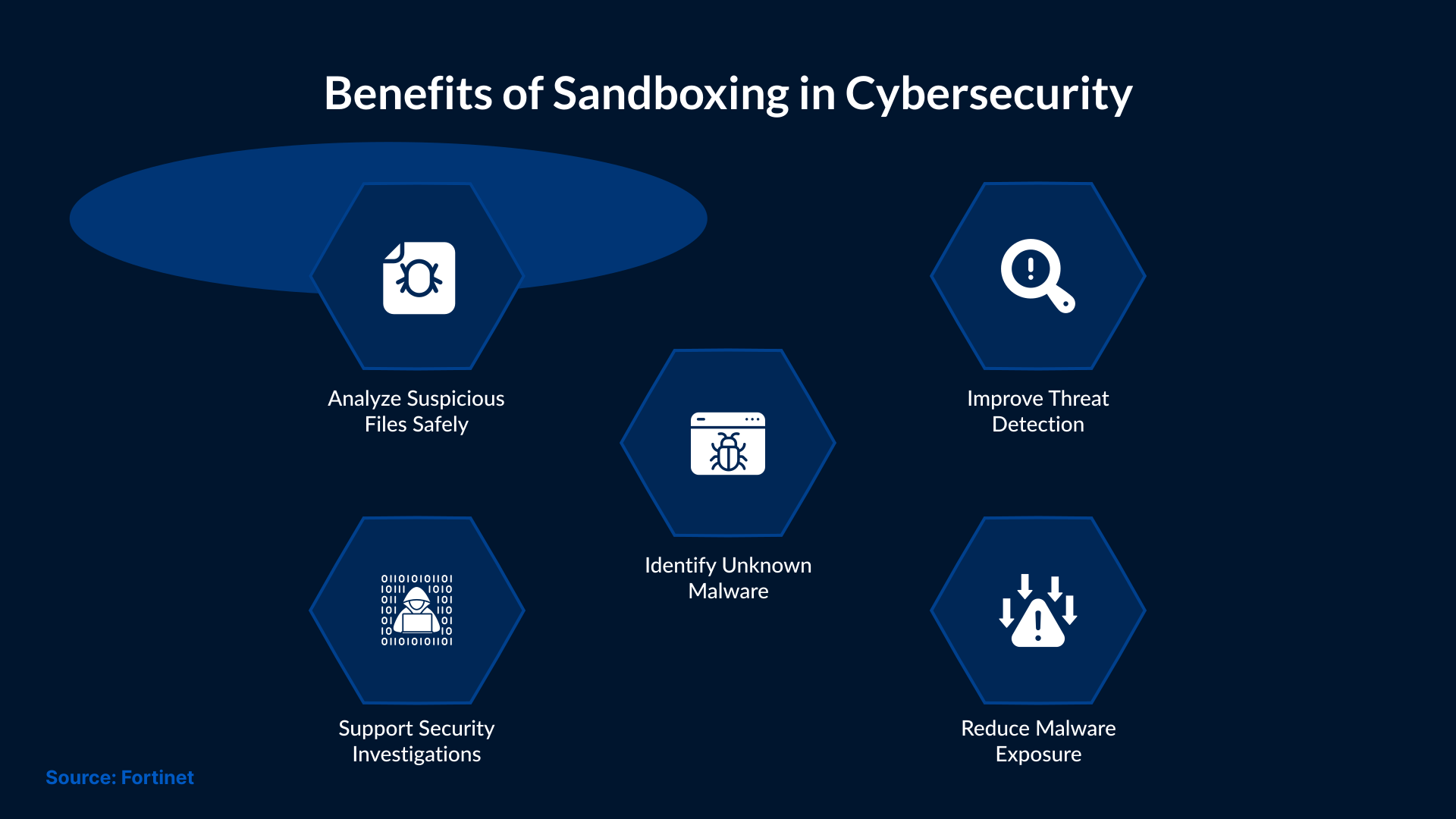
Traditional signature-based detection can miss new or modified malware. To identify such threats, sandboxing is an effective method. It can examine the behavior of suspicious files in an isolated environment.
What Cyber Threats Can Sandboxing Help Detect?
Sandboxing can help identify ransomware by detecting suspicious activities, like unauthorized file encryption. While signature-based detection may miss previously unknown malware, sandboxing can help uncover it. Email attachments and downloaded files are other common sources of threats. A notable feature of sandboxing is its ability to allow security teams to examine suspicious files for malicious behavior before they are opened or executed on business systems.
Real-World Example of Sandboxing in Action
In December 2025, the University of Massachusetts Boston faced a phishing campaign that bypassed its existing email security filters.
The university's security team used ANY.RUN's sandbox to investigate the suspicious emails. They examined the behavior of suspicious emails in an isolated environment and discovered that the emails were part of a phishing scam hosted through Google.
The sandbox findings helped the team confirm the threat and contain it before the email could reach users.
This incident shows how sandboxing can help organizations identify threats that existing security controls may overlook.
Sandboxing vs. Antivirus vs. EDR: What's the Difference?
Sandboxing, antivirus software, and Endpoint Detection and Response (EDR) are three distinct approaches that work toward a single goal: securing the IT environment. We have discussed Sandboxing in detail already, so let’s jump to the other two. Antivirus software is primarily used to identify and block malware. As far as EDR goes, it monitors endpoint activity to detect suspicious behavior. Here’s the table that helps you understand the difference between the three.
| Feature | Sandboxing | Antivirus | EDR |
|---|---|---|---|
| Primary Purpose | Analyze suspicious files in isolation | Detect and block malware | Monitor and investigate endpoint threats |
| Detection Method | Observes file behavior in a controlled environment | Uses signatures and other detection techniques | Uses endpoint telemetry and behavioral analysis |
| Main Advantage | Helps identify previously unknown malware | Provides automated malware protection | Supports endpoint threat investigation and response |
| Limitation | Some malware can evade sandbox analysis | Detection effectiveness varies by product and threat type | Effectiveness depends on detection capabilities and configuration |
What Are the Limitations of Sandboxing?
Sandboxing is primarily used to identify suspicious activity, but it cannot detect every cyber threat.
Other limitations include:
- Sandbox Evasion: Some malware can detect when it is running in a sandbox and change its behavior to avoid detection.
- Delayed Execution: Certain threats remain inactive for a period or wait for specific conditions before carrying out malicious activities.
- Resource Requirements: Running multiple sandbox environments can require significant computing resources, particularly when analyzing large volumes of files.
- False Negatives: A sandbox may classify a malicious file as harmless if its harmful behavior is not triggered during analysis.
These limitations mean sandboxing should not be the only security measure used to detect threats. It needs to be used alongside other security controls to improve malware detection and protection.
How Does Sandboxing Support Cyber Security Services?
Sandboxing provides security teams with additional information about suspicious files that existing detection tools may miss. With those findings, analysts can understand potential threats and determine whether further investigation is needed.
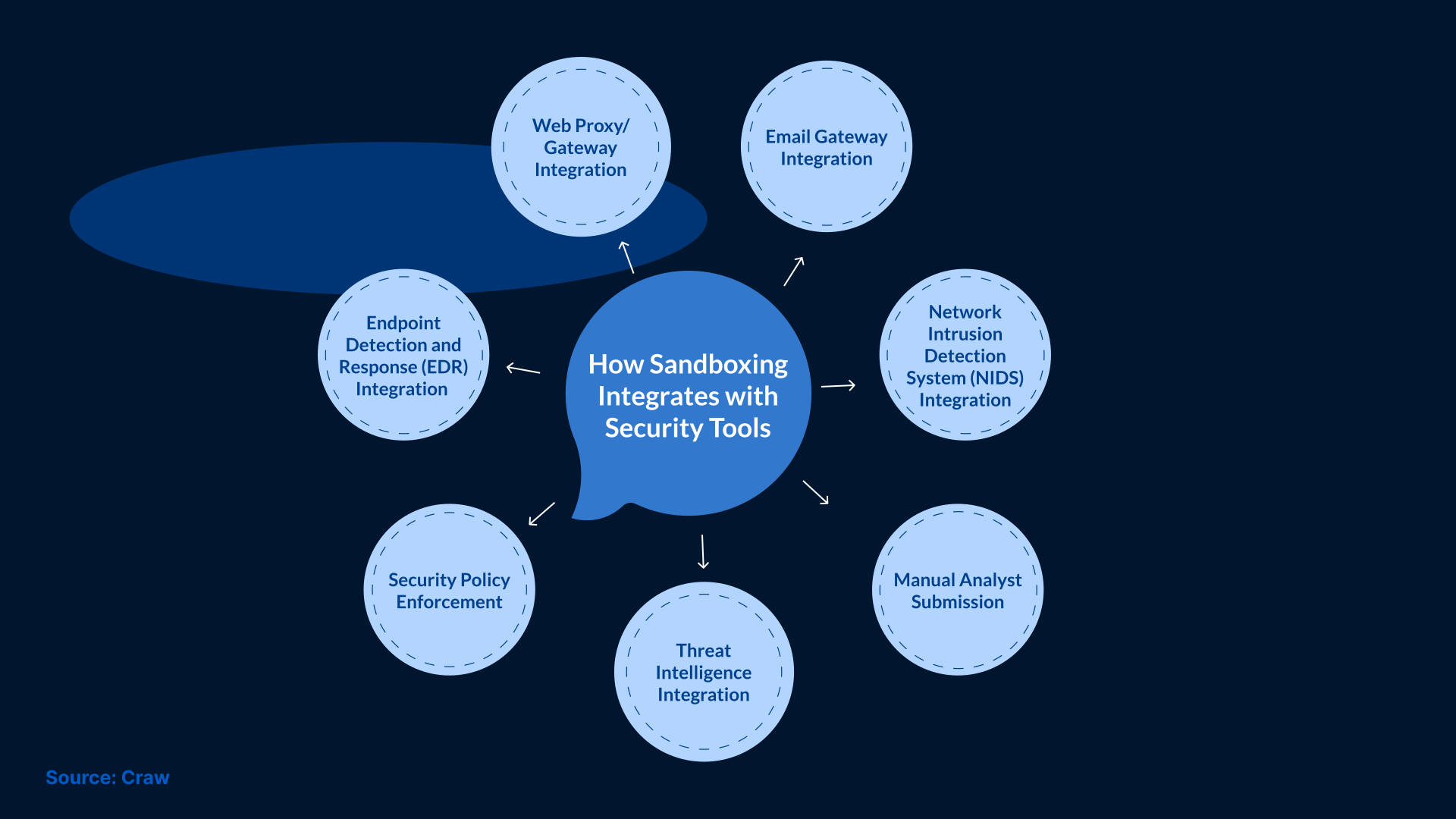
To use sandboxing more efficiently, a cybersecurity services provider can integrate it with security monitoring tools. Upon detecting a suspicious file, analysts can review its behavior in the sandbox before deciding how to respond.
Within cybersecurity managed services, sandboxing can provide useful evidence for security investigations. However, its integration and response capabilities depend on the existing technologies and services used in the environment.
Best Practices for Implementing Sandboxing
Organizations that are planning to implement sandboxing should configure and manage their sandbox environments carefully. With poor configuration, threat visibility can become restricted. It can also expose systems to unnecessary risks.
Some best practices include:
- Maintain Proper Isolation: Keep sandbox environments separate from production systems to reduce the risk of malware spreading.
- Keep Sandbox Environments Updated: Keep sandbox environments separate from production systems to reduce the risk of malware spreading.
- Integrate with Security Tools: Connect sandboxing with existing security solutions, such as EDR or SIEM. This will help make findings available during threat investigations.
- Review Sandbox Reports: Security analysts should examine suspicious behavior and investigate files that require further attention.
Organizations can also work with a Cybersecurity Services Provider to manage sandboxing as part of their broader security operations.
Conclusion
Sandboxing is a useful method for identifying potential cyber threats before they affect business systems. Sandboxing offers an additional layer of protection when used alongside existing security tools.
Businesses can also consider Cyber Security Services to improve their threat detection and investigation capabilities. With the help of a reliable cybersecurity services provider like SafeAeon, organizations can reduce the risk of malware affecting their systems.