

Key Takeaways
- Nearly 1 in 3 users still don’t use MFA. In 2025, 70% of users in a workforce identity dataset had enabled MFA, leaving 30% without this extra protection. (Okta)
- MFA fatigue accounted for 26% of identity attack techniques reported in a 2026 survey. Attackers use repeated login requests to trick users into approving access to their accounts. (SANS)
Introduction
Passwords help keep our online accounts safe, but they are not always enough. Cybercriminals use methods like phishing emails and fake websites to steal passwords. They may also obtain passwords exposed in data breaches. Once obtained, attackers may use the password to access your account without your permission.
Now, the question arises: how can we prevent cybercriminals from doing this? Well, there is a security method that helps prevent cybercriminals from accessing your devices or accounts. It’s called ‘Multi-factor Authentication’. It adds another step to the login process. So, you need to enter your password and confirm your identity either by entering a code from your phone or by using your fingerprint.
Let’s discuss more about MFA, how it works, and the different types. Learn how to use MFA to keep your accounts safe.
What Is Multi-Factor Authentication (MFA)
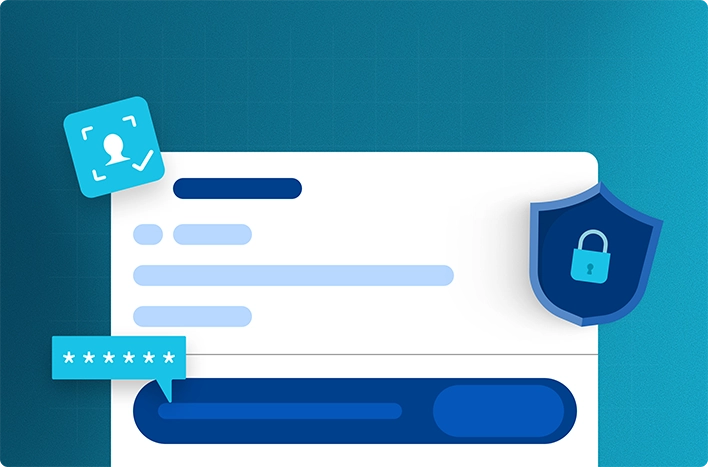
Multi-factor authentication (MFA) is a security method that requires you to prove your identity in two or more ways before you can access your device, account, or application. Just consider it as an extra layer of protection beyond your password.
There could be a chance that you are using MFA without realizing it. When you log in to your email account, you enter your username and password, right? After that, does the platform ask you to enter an OTP or a code from an authenticator app? If yes, then you are already using multi-factor authentication.
This makes it harder for hackers to break into your accounts. Even if hackers steal your password, MFA makes it harder for them to access your account because they must pass another security check.
How Does Multi-Factor Authentication Work?
Multi-factor authentication adds another security check when you log in to an account. This helps confirm that the person trying to access the account is really you. Here is how the process works:
- Enter your login details: You enter your username and password to sign in to your account.
- Complete another security check: The system asks you to verify your identity using another method, such as a code from an authenticator app or your fingerprint.
- Verify your identity: The system checks whether the additional verification is correct.
- Access your account: If both checks are successful, you can log in. If the verification fails, access is denied.
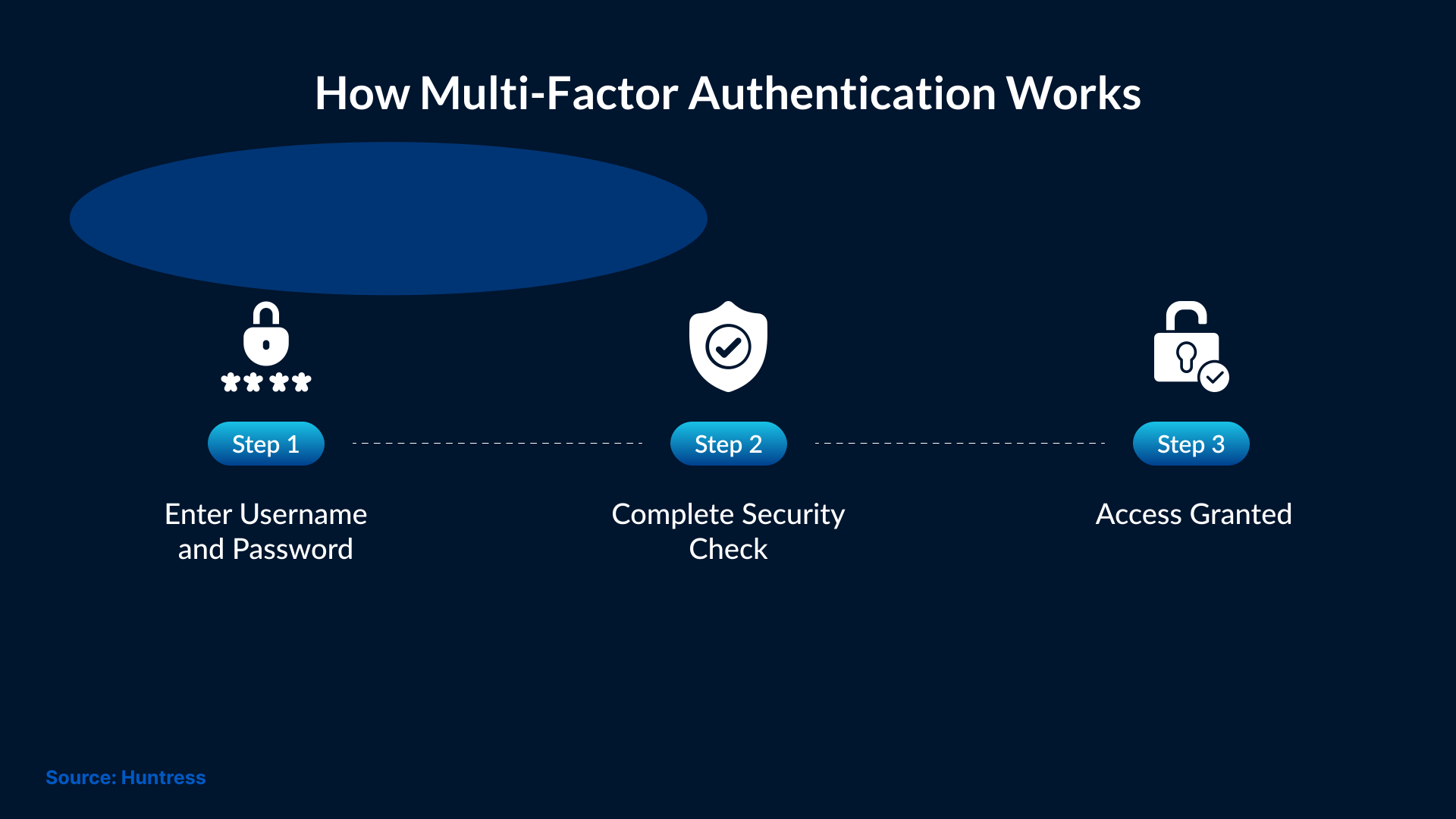
This one extra step can help protect your account when someone else is trying to get hold of your password.
What Are the Three Main Authentication Factors?
Multi-factor authentication uses multiple methods to verify your identity. These are called authentication factors. There are three main types:
Something You Know
This is information that only you should know, like a password or PIN. You enter this information to prove your identity. But the problem with passwords and PINs is that they can be stolen or guessed.
Something You Have
This is something you own or carry, such as a smartphone or a hardware security key. An example of this is an authenticator app that you have installed on your phone. On that app, you generate a code that you enter when logging in.
Something You Are
This uses a physical feature to confirm your identity, such as your face or fingerprint. This method is called biometric authentication and is commonly used on laptops and smartphones.
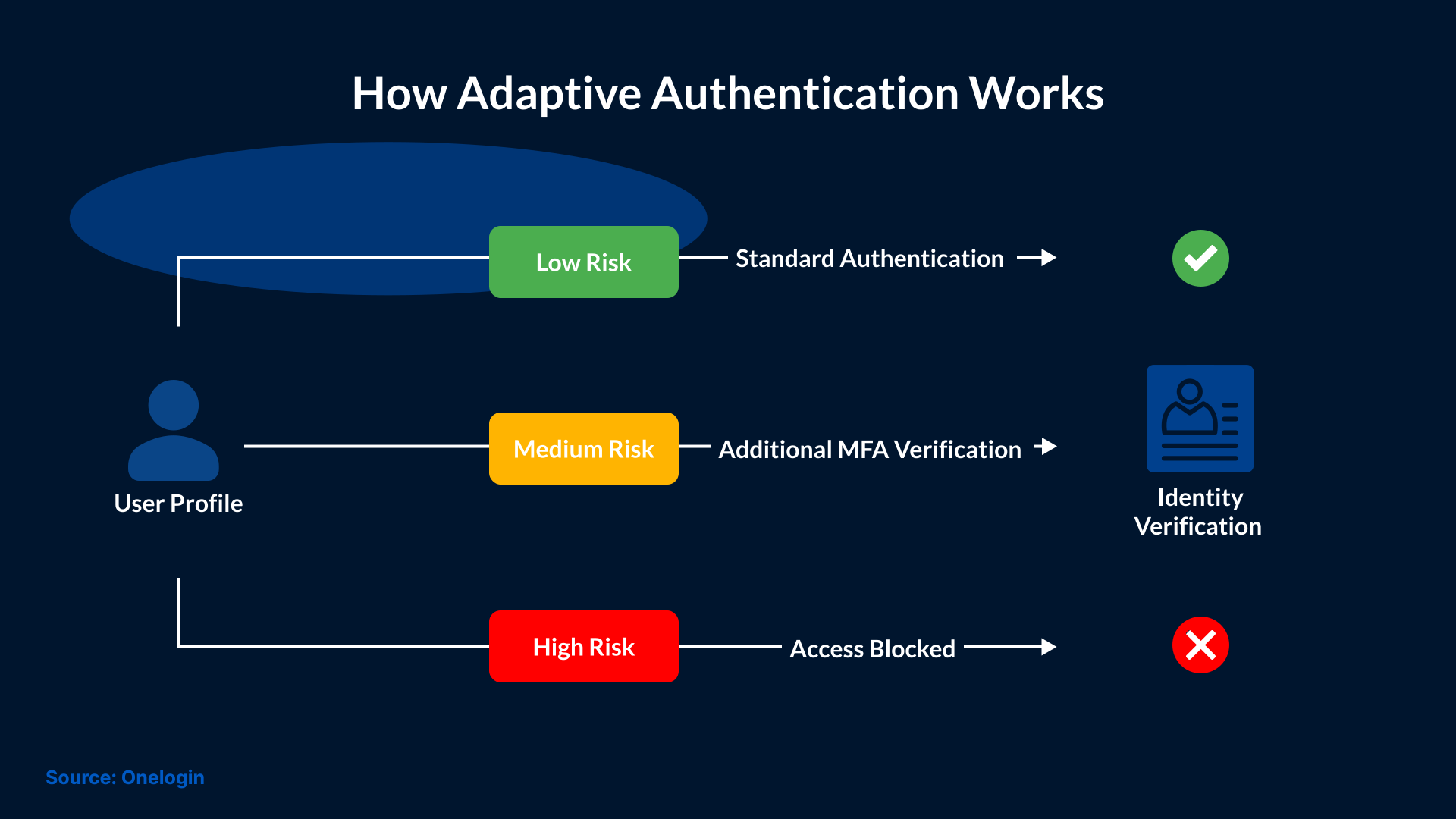
MFA combines factors from different categories, which makes it harder for hackers to access accounts without permission. In some systems, location and login behavior are also checked along with the device on which the account is being accessed. Based on these checks, the system determines whether additional verification is needed. This is known as adaptive authentication.
Types of Multi-Factor Authentication
There are various multi-factor authentication methods used for protecting online accounts. Each method verifies your identity in a different way. Some methods are easier to use while others offer stronger protection.
1. SMS Verification Codes
As you enter your password, the system sends a one-time password (OTP) to your phone or email. You must enter this code to complete the login. But the problem with these codes is that attackers may steal them through phishing, SIM swapping, or access to your email account.
2. Authenticator Apps
You can install authenticator apps to generate temporary login codes. These codes keep changing every 30 seconds. You can choose between the Google Authenticator and the Microsoft Authenticator apps. Unlike SMS codes, the codes generated in either of the apps don’t need a mobile network connection to work.
3. Push Notifications
Some MFA systems send a notification to your registered phone when someone tries to log in. You have the option to approve or reject the request. But attackers may send repeated requests to trick you into approving one. This is called an MFA fatigue attack.
4. Biometric Authentication
This method uses your fingerprint or face to verify your identity. It is very common on phones and laptops. But the level of security depends on the design and usage of the biometric system.
5. Hardware Security Keys
A hardware security key is a small physical device used to verify your identity. You can connect it to your computer or phone, or use it wirelessly, to complete the login. FIDO2 security keys offer strong protection against phishing attacks.
6. Passkeys
Passkeys allow you to sign in without entering a traditional password. Your identity is verified using cryptographic keys. These keys can be unlocked using face, fingerprint, or a device PIN. Passkeys are very useful in preventing phishing attacks.
Why Is Multi-Factor Authentication Important?
As discussed above, passwords can be guessed and stolen. It is common to see notifications these days regarding passwords being exposed in data breaches. So, relying on passwords won’t be enough. Multi-factor authentication is important for reducing the risk of systems and/or accounts being accessed by attackers, as it requires an additional form of verification.
Here are some key benefits of MFA:
- Prevents Unauthorized Access: Even if the attacker steals your account’s password, they still need to complete another security check before being able to access your account.
- Protects Sensitive Information: MFA helps protect business emails and financial records. It also helps keep customer information safe from unauthorized users.
- Reduces Account Takeover Risks: Additional verification makes it harder for attackers to use stolen passwords to take control of accounts.
- Secures Remote Access: MFA adds another security check when employees access company systems while working remotely. This helps prevent unauthorized access if their passwords are stolen.
- Supports Security Compliance: Some security standards and regulations require businesses to use MFA. Enabling it can help meet these requirements.
Can Hackers Bypass Multi-Factor Authentication?
Multi-factor authentication is tough to break into, but attackers sometimes bypass it, especially when users opt for weaker verification methods.
Here are some common ways attackers may bypass MFA:
- MFA Fatigue Attacks: Hackers send repeated login approval requests to a user's phone and hope that one of those requests will be approved by mistake.
- Phishing Attacks: Attackers create fake login pages to trick users into sharing their passwords and verification codes.
- SIM Swapping: Hackers take control of a victim's phone number to receive SMS verification codes. Those verification codes are used to gain access to the victim’s systems or accounts.
- Session Hijacking: Attackers steal active login session tokens or cookies to access accounts without completing MFA again.
These attacks don’t mean MFA is ineffective. It’s just that users need to choose the right authentication method. For stronger protection against phishing attacks, users can use phishing-resistant MFA methods, such as FIDO2 security keys and passkeys.
Multi-Factor Authentication vs. Two-Factor Authentication
Many people confuse two-factor authentication with multi-factor authentication, but they are closely related. Both are used to protect accounts by requiring more than one way to verify your identity. The difference comes down to the number of authentication factors used.
- Two-Factor Authentication (2FA): Uses two different factors, like a password and a code generated by an authenticator app.
- Multi-Factor Authentication (MFA): Uses two or more factors to verify your identity.
This means all 2FA is a form of MFA, but MFA can also use more factors when needed.
Best Practices for Setting Up Multi-Factor Authentication
Enabling MFA is important, but choosing the right authentication method is just as important. Here are some practices businesses should follow:
- Enable MFA on Important Accounts: Your business emails and accounts should have MFA enabled. Include cloud applications and remote access systems as well, since they may provide access to sensitive information.
- Choose Stronger MFA Methods: Use phishing-resistant methods wherever possible. Methods such as passkeys and FIDO2 security keys are highly effective against phishing attacks.
- Protect Administrator Accounts: Enable MFA for accounts with higher access privileges because unauthorized access to these accounts can give attackers control over important systems.
- Use Secure Account Recovery: Set up safe ways for users to regain access in case they lose their phone or security key.
- Train Employees: Arrange employee training so that they can easily recognize fake login pages and reject MFA requests they did not initiate.
- Review MFA Settings Regularly: Check which accounts have MFA enabled and update authentication methods when needed.
Conclusion
Multi-factor authentication is a simple way to add more security to your online accounts. Enabling MFA on your devices and accounts will make it harder for cybercriminals to access them, even if they steal your passwords.
However, not all MFA methods provide the same level of protection. So, users must choose stronger authentication methods, especially for accounts and devices that contain sensitive information. It’s better to seek help from experts like SafeAeon to set up and enable MFA correctly across all devices and accounts. This will help reduce the risk of unauthorized access in your business environment.