

Key Takeaways
- 93% of enterprises had a multi-cloud strategy, while 87% had a hybrid cloud strategy. This is why cloud monitoring must have visibility across distributed environments. (Flexera)
- Around 68% of organizations experience cloud platform misconfiguration, followed by unauthorized access (58%). Then come insecure interfaces (52%) and account hijacking (50%). (Cybersecurity Insiders)
Introduction
Cloud monitoring is no longer limited to performance visibility. In modern environments, it plays a role in identifying operational risk in different workloads, identities, and infrastructure.
As organizations move to multi-cloud and hybrid architectures, monitoring tools like Azure Monitor and AWS CloudWatch become more important. These tools collect logs, metrics, and events across distributed systems.
Teams often have visibility into their systems, but attacks still go unnoticed because that data sits in separate places. Detection improves only when that data is brought together, reviewed, and used during investigation.
In this AWS vs Azure comparison, let’s compare Azure Monitor and AWS CloudWatch in terms of their operations and their ability to fit into modern security and operations workflows.
What is Cloud Monitoring? What Are Its Benefits?
Cloud monitoring tracks how cloud systems operate. It provides visibility into performance and activity through metrics, logs, and events.
Cloud monitoring helps teams track resource usage and identify performance issues. Teams can also respond to operational incidents using cloud monitoring. It does not identify vulnerabilities directly but can surface signals that require further investigation.
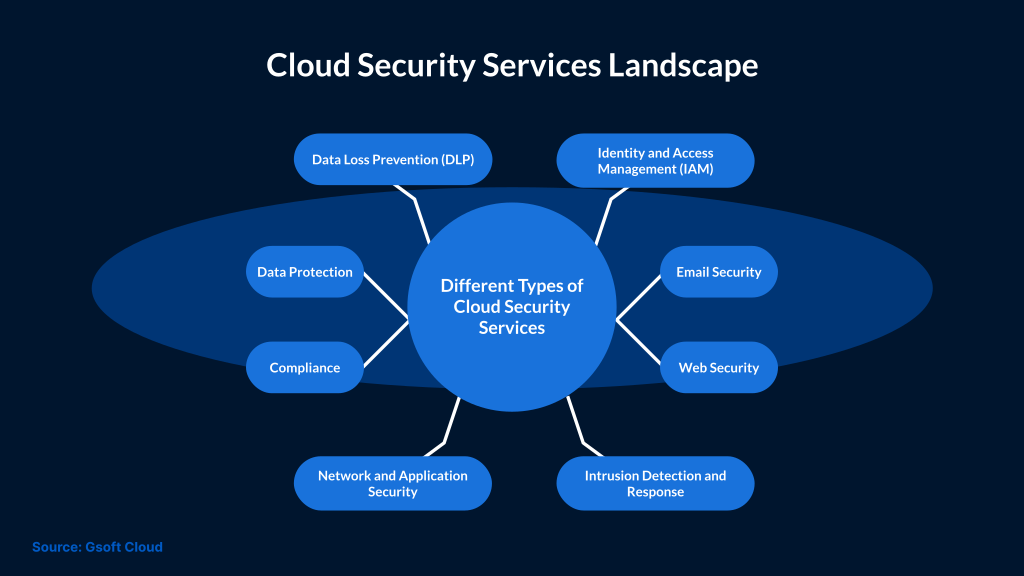
How can it be beneficial for your organization?
- Visibility across infrastructure, applications, and telemetry data in one place
- Supports performance monitoring and faster issue detection
- Enables centralized logging and auditing for compliance
- Usage-based pricing models that allow cost control
- Supports analytics and anomaly detection capabilities
In the last few years, major cloud providers have enhanced their monitoring capabilities. Organizations evaluate those platforms based on their architecture, scale, and operational requirements.
When it comes to cloud monitoring, both Azure Monitor and Amazon CloudWatch provide built-in monitoring and analytics tools.
In this AWS vs Azure monitoring comparison, the key differences are outlined below.
High-Level Overview
Azure Monitor
Azure Monitor collects data from endpoints, operating systems, Azure resources, and applications in the form of metrics and logs.
This data is used to create alerts and automate actions. It can also be used to build dashboards. The data connects with Log Analytics and Application Insights to provide teams with deeper visibility.
AWS CloudWatch
AWS CloudWatch is used to monitor AWS resources, applications, and services. There are three core components of AWS CloudWatch, which include:
- Metrics storage
- CloudWatch Alarms
- Analytics and visualization capabilities
CloudWatch keeps your metrics in one place. You can set alerts, view dashboards, and collect logs. It can also pull in data from outside AWS.
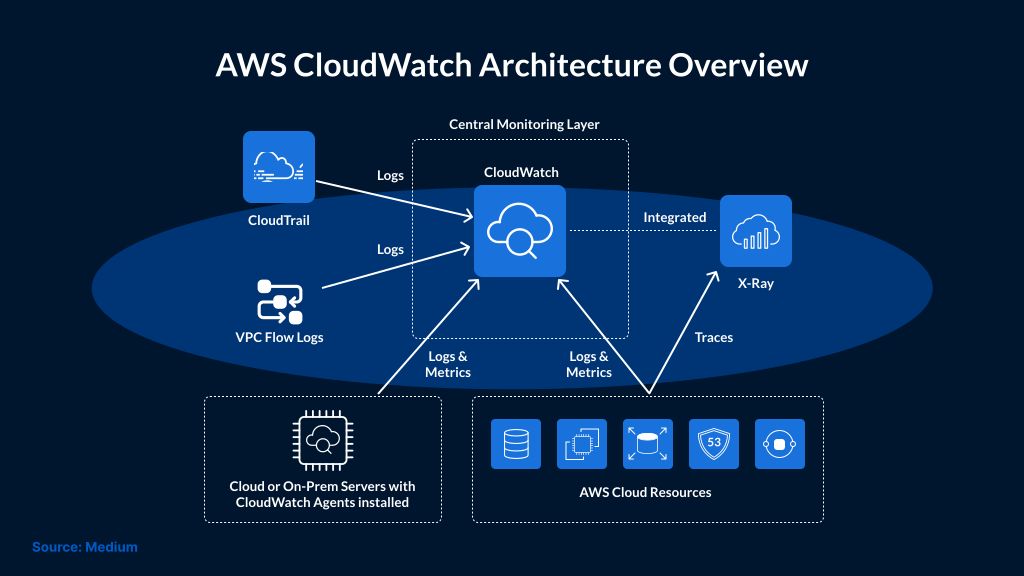
AWS CloudWatch acts as a central monitoring layer by collecting logs and metrics from multiple AWS services and environments.
Performance and Data Handling
Azure Monitor
Azure Monitor collects data from various sources like operating systems, Azure subscriptions, resources, and tenants. Then, this data is categorized into metrics and logs.
Metrics show how a system behaves over time, such as CPU usage and memory levels. Logs show what actually happened at a specific moment, such as a login attempt, an error, or a system change.
Azure Monitor provides visibility across cloud and on-premises environments. The data it collects is analyzed to support performance optimization and operational decisions. Its Log Analytics service allows analysis and querying of log data to get an in-depth view of the environment.
AWS CloudWatch
The built-in monitoring service for AWS provides users with an integrated view of their AWS resources, applications, and services that primarily run within AWS environments.
CloudWatch also uses log and metric data to extract and deliver real-time insights into applications and infrastructure, including microservices and containers.
AWS uses event-driven rules that can trigger AWS Lambda functions to take automated actions, such as responding to changes in metrics or API activity.
CloudWatch can also ingest logs from external sources, configured specifically, to provide granular insight into your infrastructure.
Automation and Scaling
Azure Monitor
Azure Monitor uses rules to track conditions in metrics and logs. These rules help trigger alerts when defined thresholds are met.
It is also possible to use these rules with autoscaling. Based on metrics such as CPU or memory usage, Azure Autoscale can scale resources up or down within a defined range.
Admins can set conditions, thresholds, and limits to control how resources scale in response to demand.
AWS CloudWatch
AWS CloudWatch supports automation by monitoring metrics and triggering alerts when defined conditions are met.
CloudWatch Alarms track metrics like CPU usage. When metrics reach a threshold, they send alerts that can trigger automated actions.
For example, when a metric crosses a defined limit, AWS Auto Scaling can adjust resources to match demand.
CloudWatch can also stream log data to Amazon OpenSearch Service.
Data visualization
Azure Monitor
Key points:
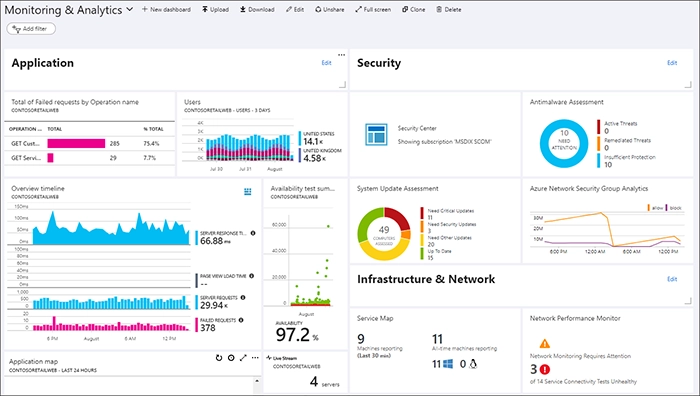
- Personal and shared dashboards
- Custom refresh rates for dashboards
- Ability to pin visualizations
Source: Microsoft
AWS CloudWatch
Key points:
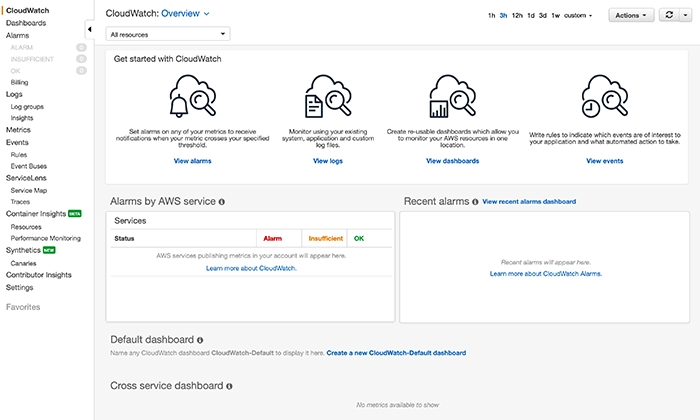
- A dashboard for different use cases, such as APIs and web services
- Reusable graphs
Source: AWS
Third-party integrations
Many organizations rely on integrations to support compliance and extend visibility.
Azure Monitor
Azure Monitor enables streaming data from Azure Event Hubs to SIEM platforms and other monitoring tools via event ingestion.
Top Azure Monitoring Tools:
- Datadog
- Site24x7
- Splunk
- CloudMonix
AWS CloudWatch
Third-party tools can extend visibility beyond native cloud monitoring by integrating external data sources and environments.
This helps teams gain broader visibility into their infrastructure.
Top AWS Monitoring Tools:
- NetApp Cloud Insights
- SolarWinds AppOptics
- Zenoss
- Zabbix
- SolarWinds Papertrail
Pricing
One advantage of cloud services is usage-based pricing. Without proper monitoring, organizations can incur costs for unused or underutilized resources.
Azure Monitor
Azure Monitor pricing is based on data ingestion, retention, and queries. There may be additional charges for features like alerts, dashboards, and data export. Pricing varies depending on usage and configuration.
AWS CloudWatch
AWS CloudWatch provides standard metrics and limited log monitoring at no cost. Charges apply for custom metrics, dashboards, alarms, logs ingestion, and data retention.
Conclusion
Azure Monitor and AWS CloudWatch provide foundational visibility across their ecosystems. The choice is not about which tool is better. It depends on which one fits your architecture and how your team uses it in day-to-day operations.
In most environments, monitoring tools work alongside SIEM and XDR. Without that integration, monitoring stays limited to visibility. The real value comes from using that data to reduce response time and operational risk. SafeAeon can help teams set up and align these tools to improve visibility and response.