

Key Takeaways
- Ransomware attacks will cause $265 billion in damages globally by 2025. (Gartner)
- 44% of all data breaches showed the presence of ransomware, a notable rise from last year. (Verizon)
- By mid-2025, 520-540 new ransomware victims appeared per month, which is double the rate from early 2024. (Deep Strike)
Introduction
Ransomware attacks have grown stronger in the last few years. Attackers are now stealing data before locking it. They also pressure victims by posting stolen files on the internet. There are groups that sell ransomware kits, making these attacks easy to run. This has made things worse for businesses all around the world. Teams are looking for ransomware remediation tactics that help them recover fast and reduce the chance of the attacker returning. Today, we will discuss simple actions that can help you handle a ransomware attack in a better way.
How Ransomware Attacks Work Today
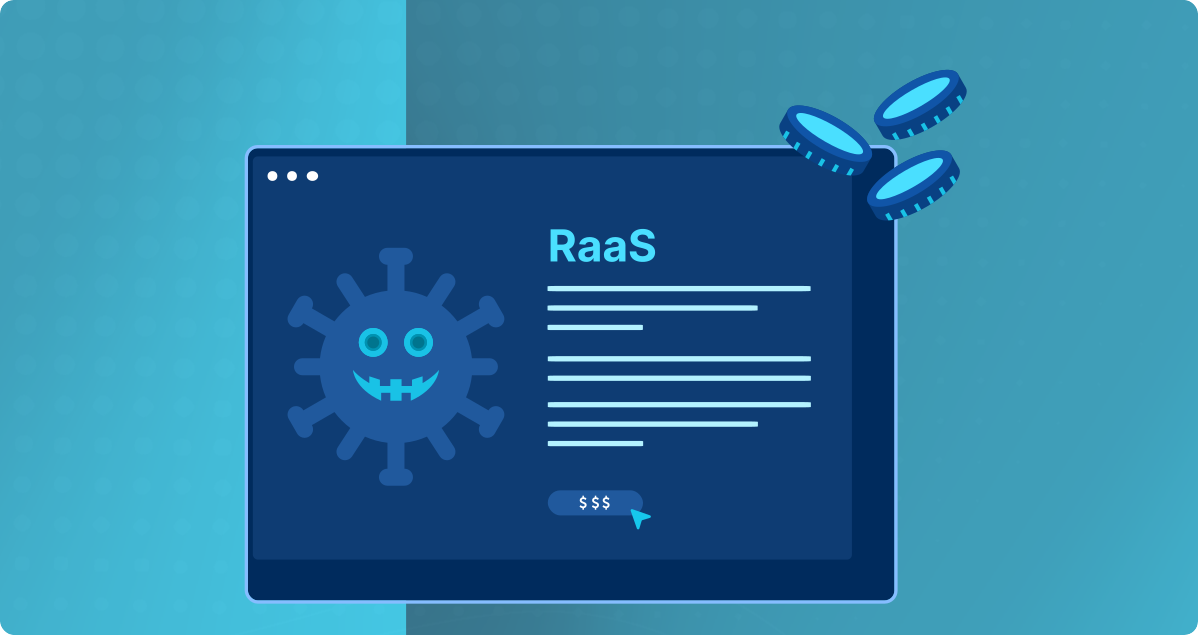
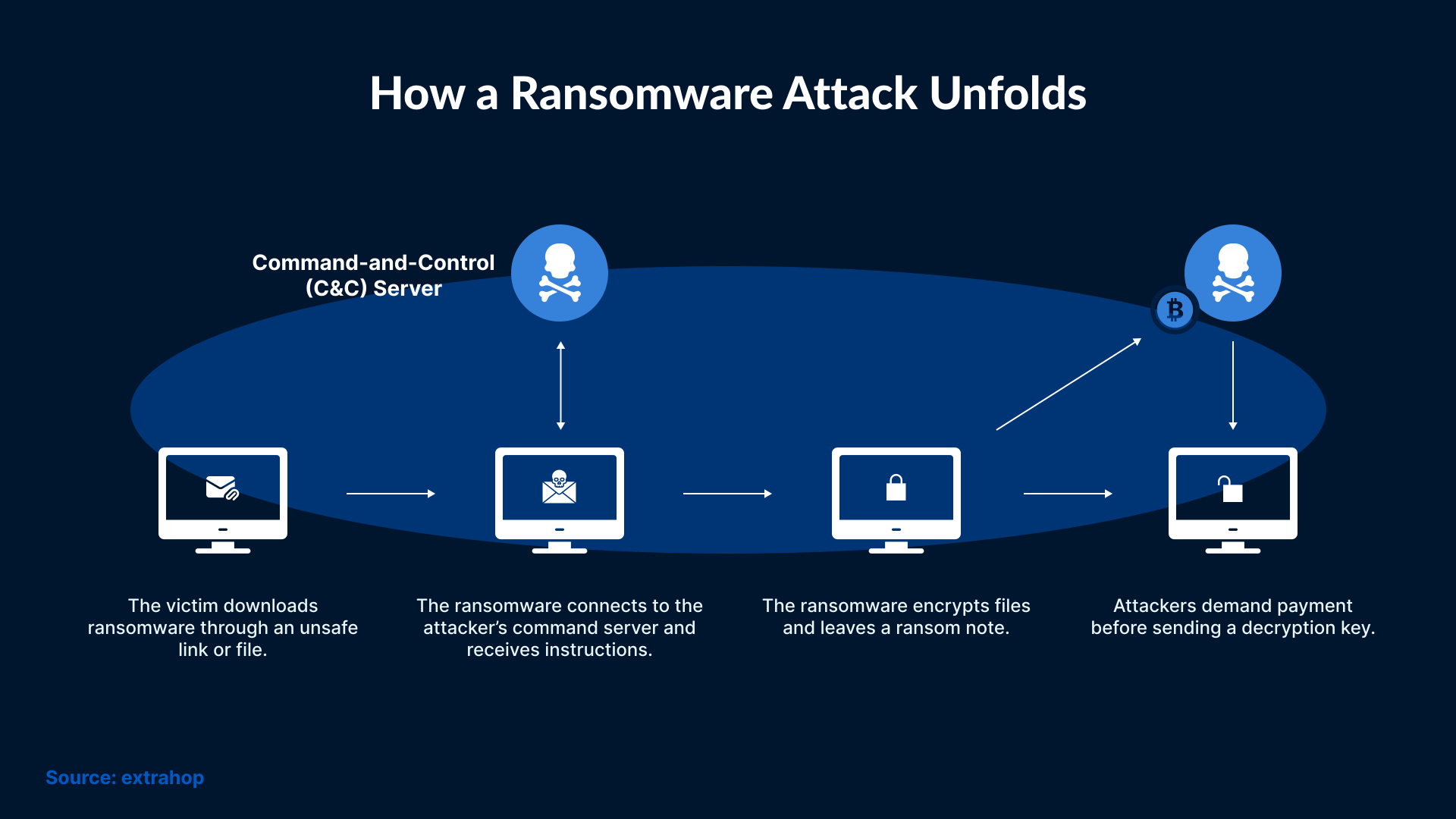
Modern ransomware does more than just encrypt files. Many groups now take the data before running the attack. They use that stolen data to pressure the victim. Some groups threaten victims with posting the data online if the ransom is not paid. Many attackers also use tools that allow them to move inside a network without being noticed. They look for important systems and try to reach backups. There are ready-made ransomware kits available as well, which makes it easier for anyone to run an attack. All these changes have made ransomware a bigger problem for many teams, and they all look for smart and effective ransomware remediation tactics.
What to Do in the First Hour
The first hour after a ransomware attack is always crucial. If you can take essential steps early on, then you can stop the attacker from causing more harm. Moreover, the steps you take will also help your team understand the entire incident. Here are those simple steps that you should take right after a ransomware attack:
1. Isolate the Affected Systems: Start by identifying the infected device(s) and isolating them from the network. This will prevent the ransomware from spreading across the network.
2. Stop the Spread on Shared Drives: You need to disable shared folders or network drives if they are infected with ransomware.
3. Notify the Right People: Inform your IT/Security team as soon as possible, so that they can act upon the threat quickly.
4. Save Logs and Evidence: Don’t delete or modify the infected system(s). Keep logs and other data, as they will help you understand the attack and your system vulnerabilities.
5. Check if the Attack is Ongoing: Check other systems if they are working normally, or showing slow performance or strange activity. This will give you an idea about the size of the attack.
Choosing the Best Ransomware Recovery Strategy
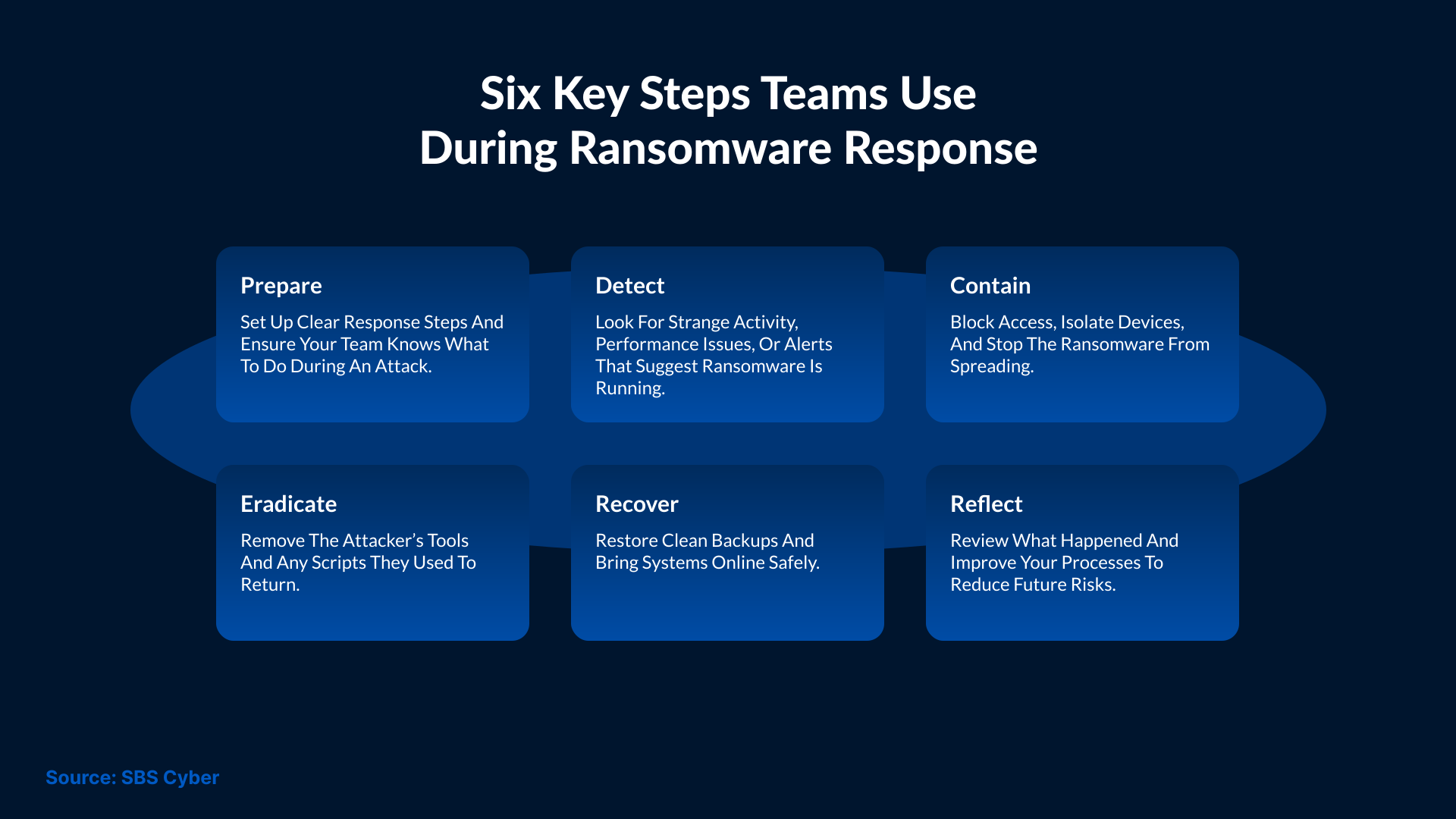
Not every ransomware attack needs the same recovery path. Some systems can be restored while others need a full rebuild. At times, systems only require a clean reimage, so it depends on the extent of the damage caused by the attackers, the type of ransomware, and the safety of your backups. Here are simple points that can help you decide the next plan of action.
When to Restore: You can begin restoring the systems if the backups are safe and clean. You must also ensure that the attacker hasn’t reached the backup storage. It’s faster to restore systems than to rebuild them, but it still requires a thorough review to make sure the infection does not return.
When to Rebuild: Rebuilding is required when the attacker has changed system files or made big changes. A rebuild will give you a clean start. It will also remove hidden tasks or tools that the attacker may have left behind.
When to Reimage: Reimaging is useful when many of your devices are hit by an attack. Reimaging will give you a fast way to replace damaged systems, but it will only work if you have safe images stored in a secure place.
When to Avoid Paying the Ransom: Paying a ransom does not promise full recovery. On many occasions, victims never receive working keys despite paying the full ransom amount. Some keys only unlock a part of the data. Moreover, paying ransom opens the door for more demands, so it’s better to explore safe recovery steps first.
How to Check If the Attacker Is Still Inside
After you stop the ransomware, you still need to check if the attacker is gone. Many attackers leave certain tools behind, which may help them return later. Below are signs and checks to verify if the attacker is still active in your network.
Look for New User Accounts: Attackers, at times, create new accounts with wide powers. So, you should check your user list and remove accounts that you don’t trust.
Search for Unusual Scheduled Tasks: Some ransomware groups add tasks that restart their tools. Look for tasks that seem unusual. Remove anything that should not be there.
Check for Remote Access Tools: Attackers also use remote access tools to return later. Search for tools that you don’t use and remove them from your systems as well.
Review Recent Logins: Look for logins from new locations or at odd hours. This can show you if someone is still trying to get inside your network.
Scan for Hidden Files or Scripts: Some scripts can stay hidden in folders that teams don’t check often. So, make sure you run a full scan and remove anything unsafe.
Review System Logs: Logs help you see how far the attacker went inside your network. You need to look for actions that do not match normal use. This will help you plan the next steps.
Ransomware Recovery Tactics for Cloud and SaaS Systems
Ransomware recovery in cloud and SaaS systems is different from an on-premises attack. It’s not always possible to lock the files, but attackers can still take data or remove important items. Some groups specifically target cloud backups or linked apps to cause more harm. But teams can recover cloud and SaaS systems using these simple tactics.
1. Use Cloud Snapshots When Possible
Most cloud platforms store snapshots, which can be used to roll back to a clean version of your system. But make sure to use snapshots before the attack.
2. Review Access Logs in SaaS Tools
Check for strange logins or odd changes in your SaaS accounts. This will let you know what the attacker accessed.
3. Restore Only Clean Copies of Data
Make sure the copies you restore do not contain any harmful code. Scan all the items before you add them back to your system.
4. Reset Linked App Tokens and Keys
Ransomware groups sometimes take tokens from connected apps, so make sure you reset these items to stop unwanted access.
Safe Methods to Restore Data Without Restarting the Infection
Restoring data becomes a crucial step after the ransomware attack is over. You should not restore data too fast because it may bring infected files back into the system. If you take too much time restoring the data, then it may delay the recovery. The goal is to restore safe and clean data. For that, here are some methods you should consider following:
- Scan the backups before restoring them. This will help you avoid files that may contain harmful code.
- Restore data in small groups and check if each set works as expected. This will reduce the chance of restoring a large, infected set.
- Keep restored systems off the main network so that you can check them for strange behavior in a safe place.
- Backups should not be altered because attackers often change or delete them. For this, you can review the backup logs to ensure that the copies are clean and safe.
Communication Strategies During a Ransomware Crisis
An incident like a ransomware attack can cause confusion and stress in an organization. But clear communication can help reduce panic and keep everyone focused on the right steps. Here are steps that can help you deal with a ransomware crisis:
- Inform your internal team about the attack. They need time to stop the damage and check how far the attackers have reached.
- Keep your leadership informed as well. Share only what you know and avoid early guesses.
- Employees should also be informed. You need to tell them to avoid shared drives and unknown files until the systems are checked.
- If partners or vendors are using the same systems, inform them about the attack so they can protect their own data.
Make sure to keep a record of all messages shared during the event, as this will help during audits or future reviews.
Tactics to Improve Security After a Ransomware Attack
Once the attack is under control, the next step is to improve the safety measures of your system. The goal is to stop the same type of attack from happening again. For that, you can follow these steps:
- Start by analyzing how the attacker entered your system.
- Fix weak settings or old tools that allowed the attack to happen.
- If possible, limit the access of user accounts after an incident to reduce the damage if another account is misused in the future.
- It’s important to add stricter rules for passwords and access. Start by adding multi-factor checks wherever necessary.
- Some teams add new tools to monitor unusual activity on their network. These tools alert them when something strange happens.
- Make sure to keep all your software programs up to date. This will prevent new threats from sneaking into your system.
Building a Long-Term Ransomware Action Plan
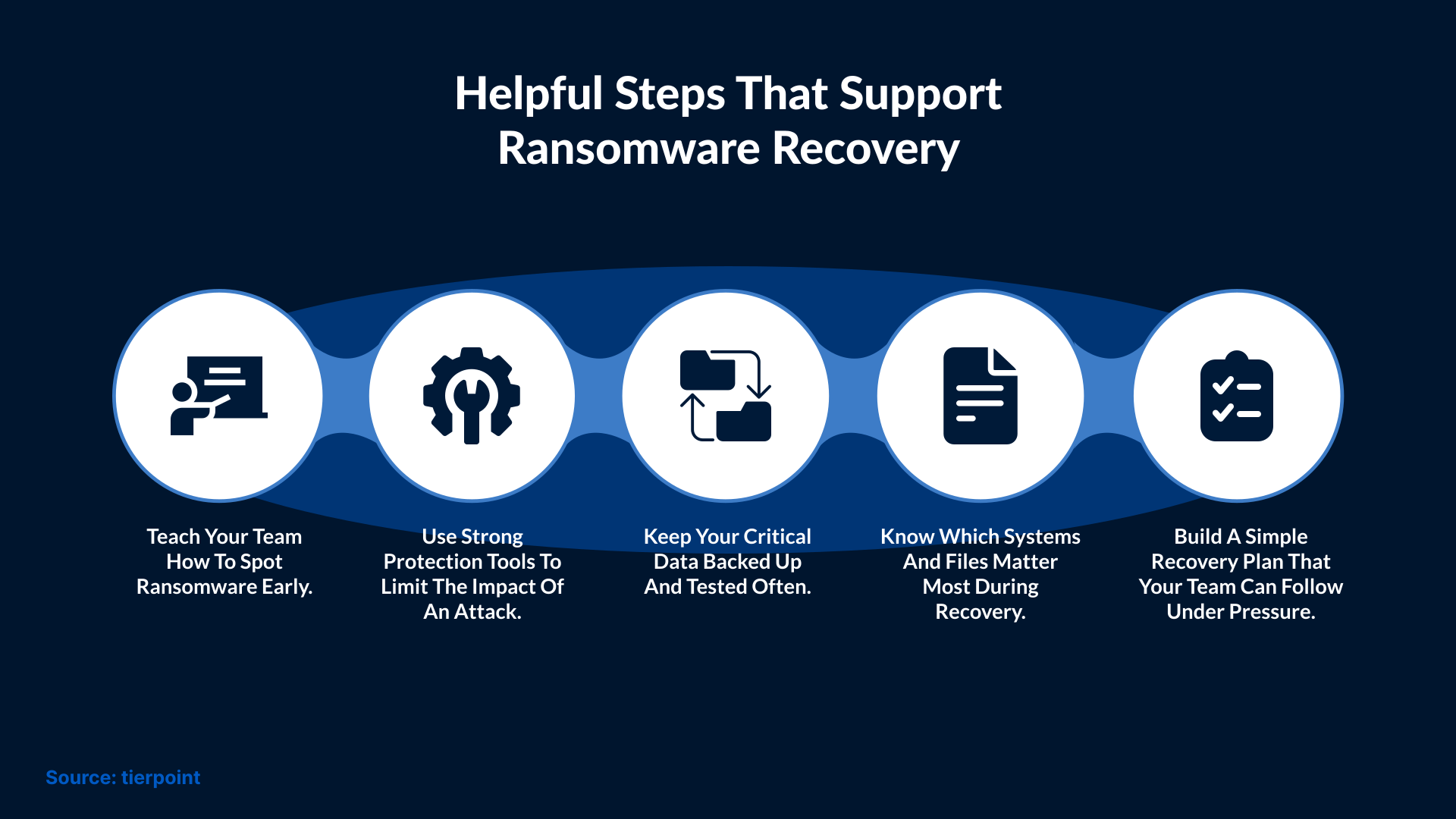
Having a plan helps your team respond better during a future attack. A clear plan also reduces confusion when the team is stressed or unsure about what is happening. A long-term plan should also include a checklist. This checklist should tell each person what they need to do when the attack begins. It should also remind them to preserve important logs. The final part should explain who needs to be informed during the attack.
Run practice drills so the team knows how the plan works. These drills also help you find gaps that you can fix later. Test and validate your backups on a regular schedule to make sure they work when needed. A backup only helps during an emergency when it works the right way. Keep a list of people who can support you during an incident. This list may include legal teams. You can also add the contact details of any security team that works outside your company. This list makes it easier to reach the right people during the attack. You should review the plan often because your systems and tools will change over time.
Conclusion
Ransomware attacks can cause huge damage, but with ransomware remediation tactics, teams can recover quickly. A clear plan helps you act fast when every minute is critical. Early detection can slow down the attacker and reduce the damage, whereas careful checks help avoid bringing the infection back during the restore process. Using stronger settings after the attack can reduce further risk. SafeAeon provides support to teams using simple methods so they can recover from ransomware events quickly. They provide tools and training that help teams handle these threats with more confidence.