

Key Takeaways
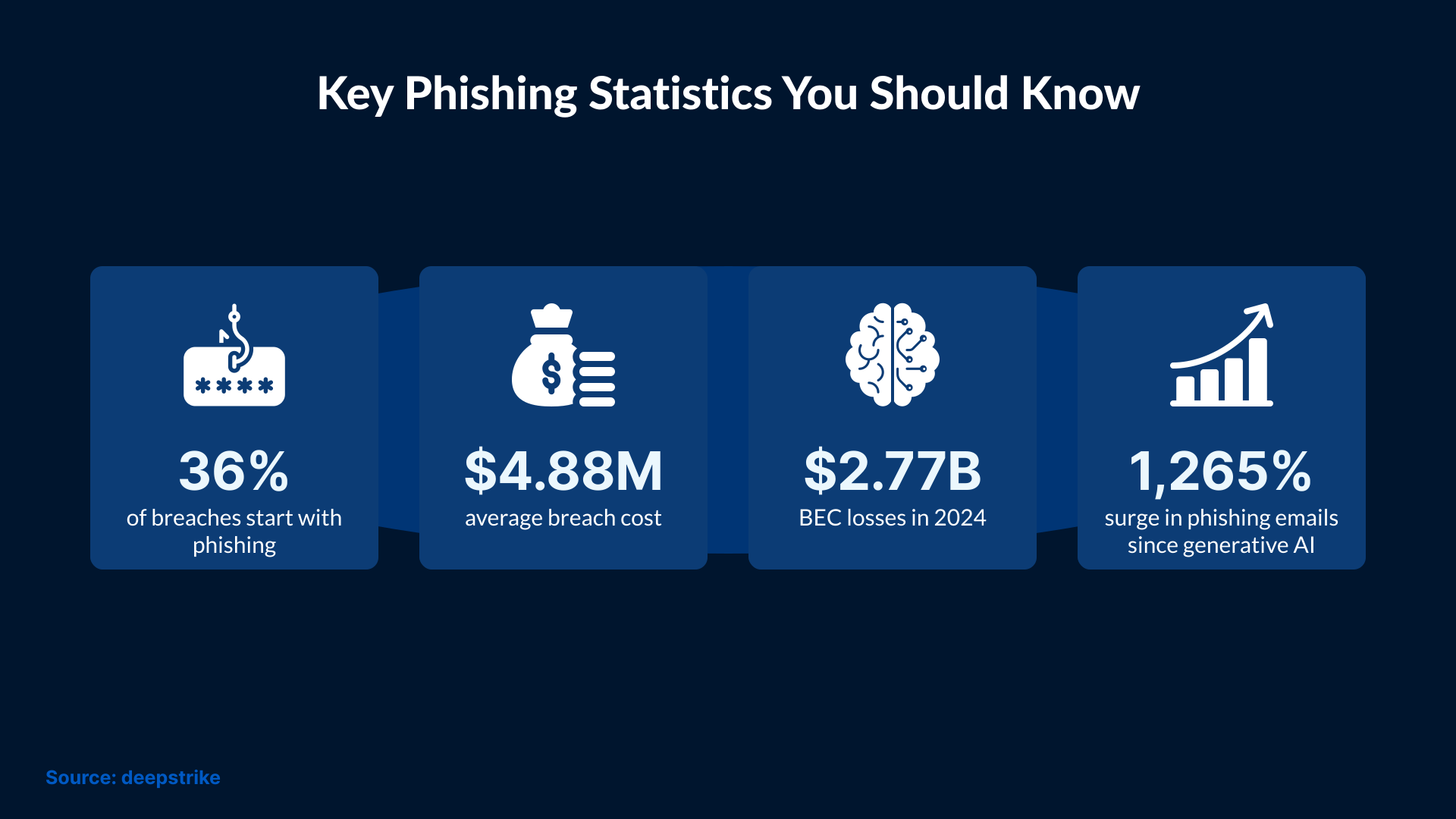
- According to IBM, phishing is the leading cause of data breaches, with the average breach costing $4.88 million.
- A Gartner survey found that GenAI attacks are on the rise, with 62% of organizations experiencing a deepfake attack involving social engineering.
- It takes an average of 254 days to detect and contain a phishing attack, the longest time among all attack vectors. (Secureframe)
Introduction
Phishing remains one of the most common cyber threats, affecting users across industries and regions. It targets human behavior rather than technology, which makes it more effective than many other attack methods. Now, attackers are using advanced tools, like AI, to make phishing more effective. To know how to avoid phishing attacks, you must understand how they work and the different forms they take.
What Is a Phishing Attack?
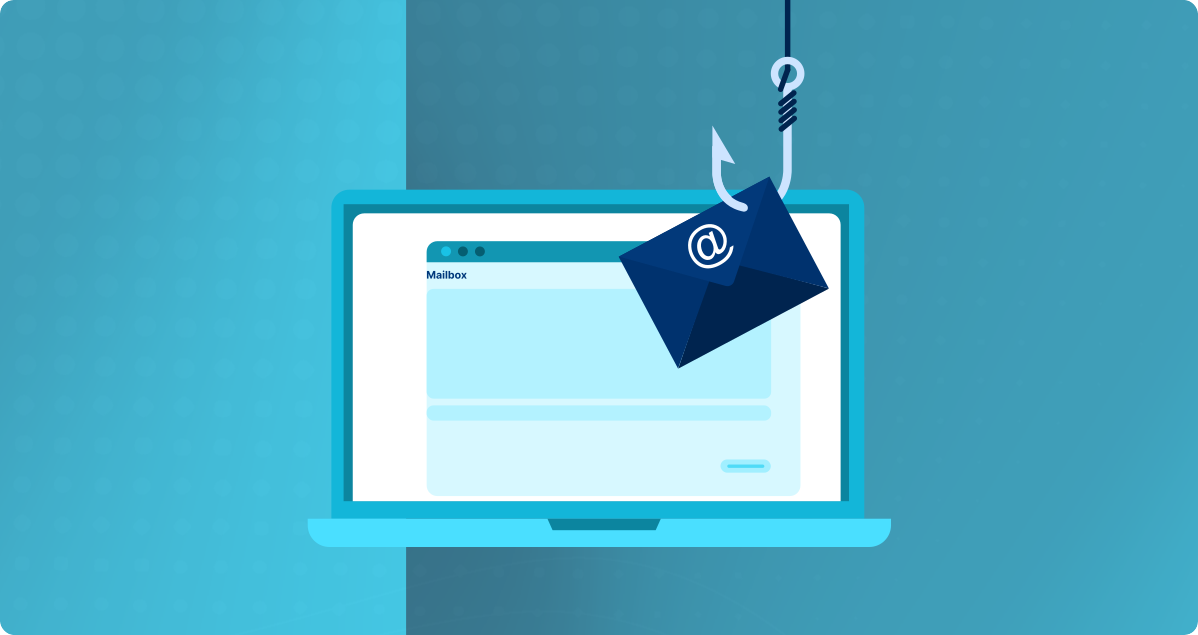
Phishing is a type of social engineering attack in which criminals use fake messages or impersonation tactics to trick users into sharing their confidential information. Cloned websites are also used for the same purpose.
Phishing involves a malicious actor creating a bait to trick users into taking harmful actions without realizing it.
Typically, this practice occurs through emails, instant messaging applications, social networks, or fake web pages that resemble legitimate communication from trusted companies, organizations, or individuals. The motive is to get login credentials or banking details of the victim for identity theft, financial fraud, or unauthorized access to systems.
These attacks rely on manipulation techniques to lure the user into clicking on malicious links or opening attachments.
With the availability of advanced tools, attackers are increasingly using artificial intelligence (AI) to create emails, deepfake voices, and videos that appear extremely convincing.
Why Phishing Attacks Are Increasing
Phishing remains common, but its success rate has increased due to the use of sophisticated tools and techniques. With AI and social engineering, phishing attacks can penetrate deeply into a victim’s system and steal more information. Without modern security measures, organizations leave gaps in their IT infrastructure for attackers to exploit.
Common Types of Phishing Attacks
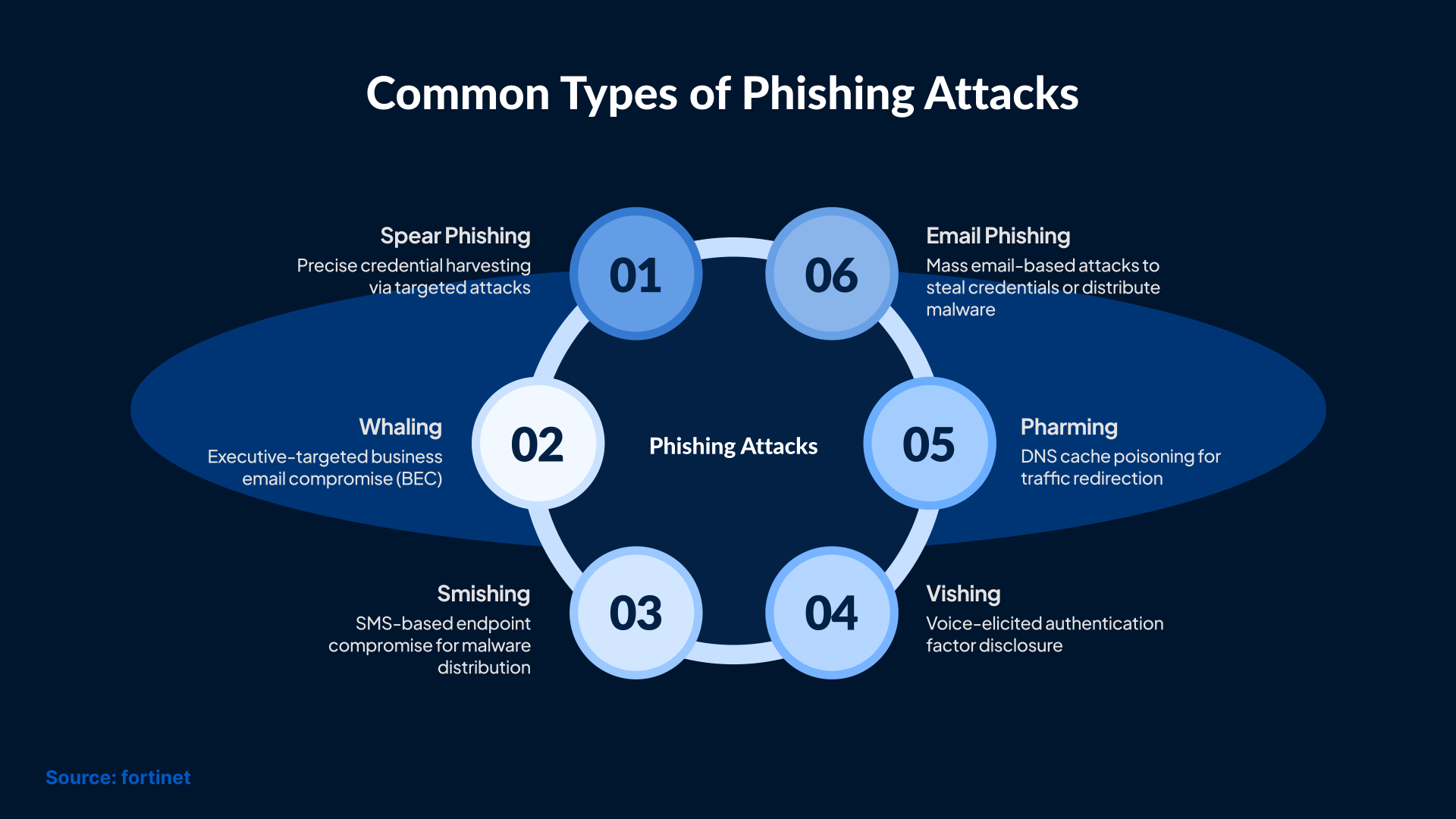
The main types of phishing attacks include:
1. Email phishing or blind phishing
In email phishing, attackers send fake emails that appear to come from trusted organizations. The email typically contains links to fake pages that prompt users to enter personal information or login credentials. It's also common for these messages to contain malicious attachments that, when opened, infect the user's system.
Attackers send these emails in bulk and rely on the probability that some users will fall for the bait.
An email phishing message often pretends to be a delivery update or a sudden password warning. In many cases, it pressures the user to “verify” their account before it supposedly gets locked.
2. Spear phishing
In this type of attack, scammers target a specific group of individuals, an organization, or a particular user. To achieve this, emails or messages are often personalized to make the content appear genuine.
Cybercriminals gather information about their targets from public sources, such as LinkedIn or company pages. Then, they use that information to shape messages that feel relevant to the victim’s work.
3. Whaling
Whaling focuses on senior executives and high-ranking individuals of organizations. It is a sophisticated attack model designed to obtain valuable information or privileged access to a company. Attackers often send emails that look like official notices, such as HR announcements or legal requests, to convince executives to respond quickly.
In this type of attack, attackers pose as a CEO or senior executive and rely on urgent language to pressure employees into approving payments or releasing sensitive information.
4. Pharming
In this method, scammers compromise DNS servers or use malware to redirect users to fake websites, even when they enter the correct address of the legitimate page. Thus, users are led to believe they are visiting a trustworthy site when, in fact, they are providing information to criminals. Because pharming can bypass the user’s actions, it can redirect even cautious individuals to malicious websites without them noticing changes in the URL.
5. Vishing
Also known as voice phishing, this type of attack is carried out through phone calls. In these cases, attackers pretend to be representatives of a legitimate company, such as banks or government institutions, and try to trick users into providing personal information over the phone. These attacks are harder to detect because attackers now use AI for voice cloning. This makes it easier for attackers to mimic colleagues or relatives with higher accuracy.
6. Smishing
This type of phishing attack is carried out via SMS. Smishing messages often claim there are problems with payments or accounts to push victims into taking quick action. With this, cybercriminals can extract information and even money from those affected. Common examples include bank fraud alerts or fake claims that a bill is overdue, because these will provoke quick reactions.
How to Recognize a Phishing Attempt
Recognizing phishing attempts early can prevent you from falling victim. Here are some popular signs of a phishing email you should watch out for:
- Subtle spelling mistakes in the email address, such as using ‘vv’ instead of ‘w’ or ‘l’ instead of ‘I’.
- Check the tone of the email. Messages that use generic greetings like ‘Dear Customer’ instead of personalized names are often suspicious.
- The biggest warning sign of a phishing email is the sense of urgency. If you receive a message that asks you to take immediate action to avoid account suspension or stop unauthorized transactions, be very careful.
- Check the links and attachments in the email. Hover over the links to see where they lead. If the link appears unfamiliar, don’t click on it.
- Attackers are also spoofing the logos and formats of well-known brands. At first glance, the email appears to have come from a legitimate website, but when you take a closer look at the pixelated images or broken design elements, you can make out that something is off.
Being mindful of these signs can help you identify and successfully avoid phishing attempts.
How to Avoid Phishing Attacks
Here are some practical tips to avoid phishing.
- If you receive an email from an unknown sender that contains a link or an attachment, don’t click on the link or open the attachment.
- Use your mouse to hover over links to see if they lead you to a genuine website or not.
- Don’t share your personal information, like your login credentials or bank details, because authentic websites don’t ask for such information in emails.
What Is the Recommended Approach for an IT Professional When Faced with Phishing Attacks?
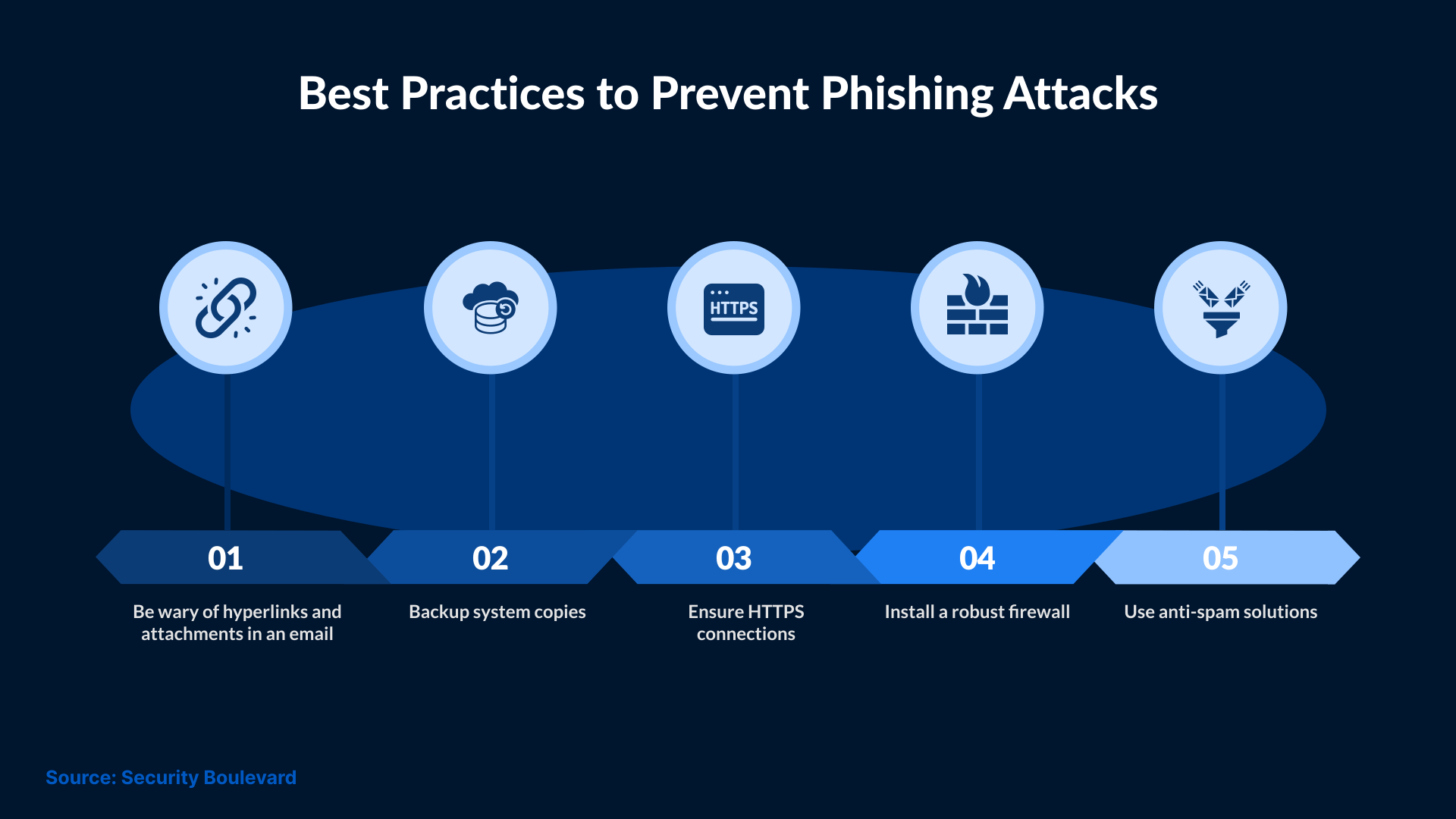
No single measure is sufficient to protect a company or its employees against all phishing threats. Therefore, it is recommended that businesses and IT managers develop a layered approach to information and network security, combining various strategies and technologies to maintain a high level of cybersecurity capable of circumventing these increasingly sophisticated threats.
Although each IT team may develop its own strategy for dealing with fraud and other network threats, there are best practices that IT professionals can follow to mitigate the potential for these incidents, especially phishing attacks.
Awareness and training: A strong cybersecurity culture within the organization is essential to prevent any type of threat event. Regular training helps employees understand how phishing works, recognize suspicious messages, and report potential threats. The more aware users are, the lower the probability of a successful attack.
Emails and anti-spam filters: Another important measure for IT departments is to implement email filtering and anti-spam solutions to identify and block malicious messages before they reach users' inboxes. Many phishing attacks are distributed via email, and a good anti-spam filter can significantly reduce the number of suspicious items.
Domain verification: Configuring email authentication systems, such as Sender Policy Framework (SPF) and Domain Keys Identified Mail (DKIM), to verify the authenticity of senders can help prevent spoofing attacks. If you add DMARC on top of these controls, it further enhances the protection because it helps organizations decide what happens when an email fails these checks. This reduces the chance of attackers sending fake emails on behalf of the organization.
Network traffic monitoring: Use network traffic monitoring tools to identify unusual patterns that may be indicative of phishing attacks or attempts to communicate with malicious servers.
Blocking malicious websites: Malicious website blocklists help prevent users from accessing pages known to host phishing attacks or distribute malware.
Software updates: It is essential to keep all systems and software updated with the latest security patches. In many phishing attacks, attackers exploit known vulnerabilities in outdated software. Establish a routine update schedule to ensure all systems receive critical security patches on time.
Strong password policy: Organizations should also implement a strong password policy that requires the use of complex passwords and regular changes. This reduces the chances of attackers gaining access to accounts through stolen credentials.
Multifactor authentication (MFA): Whenever possible, it is advisable to introduce multifactor authentication to access critical systems and services. MFA adds an extra layer of security, even if the user's credentials are compromised.
Account monitoring: An account monitoring and alert system to detect suspicious activity, such as multiple login attempts, logins from unusual locations, or access outside of standard hours, is considered a good practice that an IT department can adopt.
Incident Response Planning: Developing and implementing an incident response plan that includes clear procedures for handling phishing attacks is a primary responsibility of information security and network security teams. This action helps minimize the impact of any incident.
What is Information Security and Why Does it Matter?
To understand why phishing is dangerous, it helps to look at the core principles of information security. Cybersecurity represents the set of digital tools and strategies that guarantee the security of a company's virtual data. Therefore, it encompasses the methods or mechanisms used to minimize the risks of digital threats, as well as strategies to ensure the full viability of an organization's data without it suffering external influences such as viruses, intrusions, and other forms of cybercriminal attacks.
Phishing directly threatens information security because it targets the human element. It also completely bypasses technical controls and exploits trust rather than system vulnerabilities.
Four Pillars of Information Security
Confidentiality: It ensures that the sensitive information is only accessible to authorized individuals.
Availability: It ensures that the data is accessible whenever it is needed.
Integrity: It ensures information remains accurate and unchanged unless properly authorized.
Authenticity: It ensures that information truly originates from the claimed source.
Phishing targets confidentiality (stealing sensitive data) and authenticity (Impersonating legitimate individuals or brands), which makes it a direct threat to these security pillars.
What Are Cyber Frauds?
Cyber fraud, including phishing, can occur through both external and internal breaches. It represents attacks on the exclusive information of the business or its clients, partners, or employees. For example, internal documents can be altered, and fraud can occur on the part of the organization's own employees. On the other hand, clients and employees can have their data corrupted through phishing and malware.
Therefore, cyber fraud involves manipulating data or stealing identities for financial gain or unauthorized access.
Phishing is often the first entry point for larger fraud schemes, which allows attackers access to login credentials or sensitive financial information. Stolen credentials allow attackers to continue exploiting the victim over time.
Conclusion
As the world becomes more digitally connected, organizations face growing challenges in understanding how to avoid phishing attacks. These attacks have become more sophisticated, resulting in a higher success rate. To reduce phishing attempts, companies must encourage their teams to participate in training and awareness programs. This helps employees report suspicious activity before it causes harm. SafeAeon offers structured training and awareness campaigns to help organizations strengthen their security measures against phishing and other cyber attacks.