

Key Takeaways
- MCM Clients form the device-side layer of Mobile Content Management Systems. Their role is to implement the company’s policies, encryption, and authentication.
- At times, the MCM Client comes preinstalled on phones. Employees should not uninstall the tool, as doing so may disrupt secure access to company data and compliance.
- MCM Clients are often misunderstood as spyware, but they are legitimate tools designed to protect corporate content on phones and tablets.
Introduction
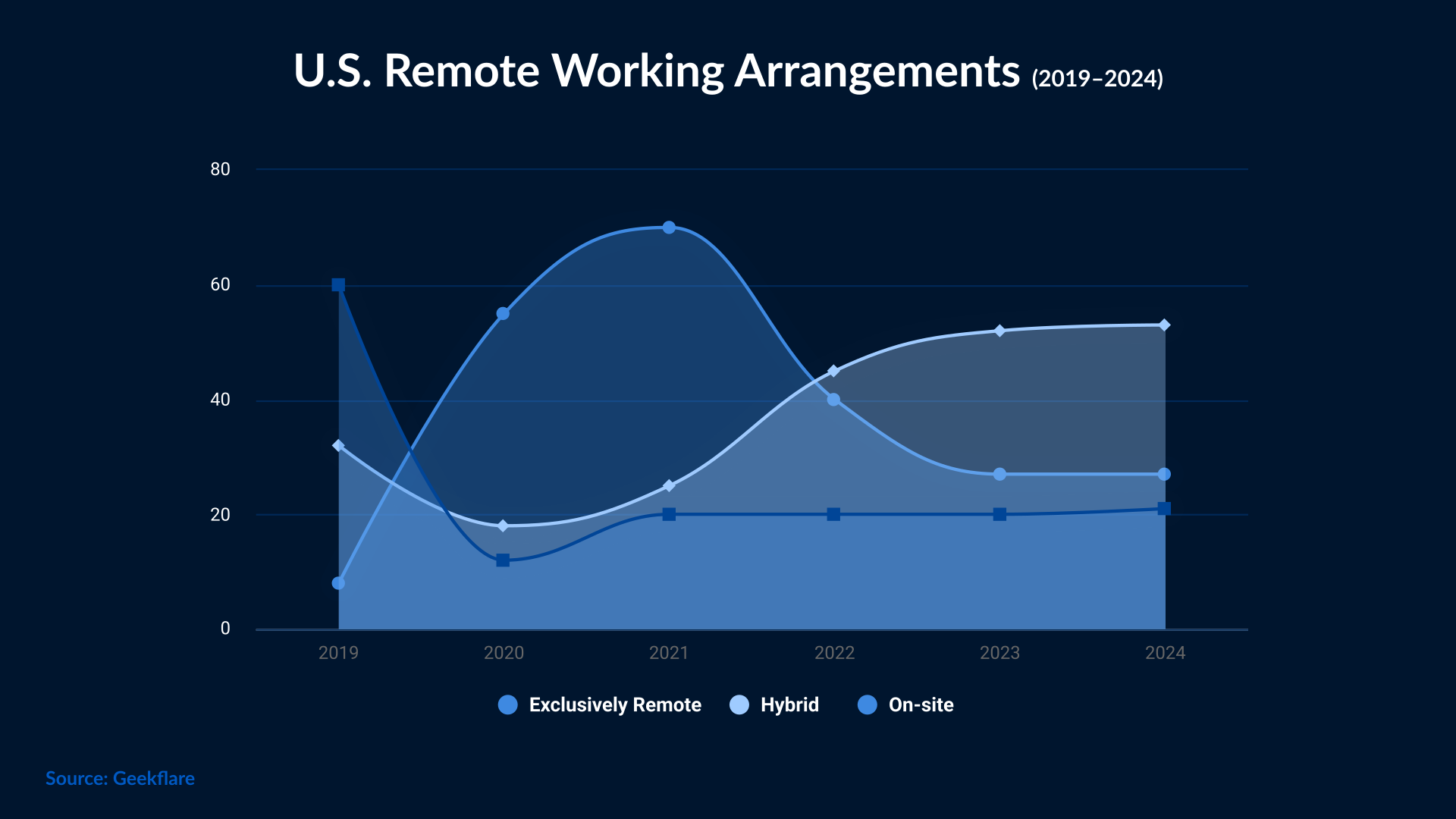
Organizations are moving from traditional workstations to advanced, mobile-based solutions. Hybrid working mode is on the rise, and with that, the role of phones and tablets becomes more important. Individuals now work from any location on their mobile devices. But the convenience of working on phones and tablets can turn into a serious security risk if there is no mechanism in place for securing data. This is where tools like MCM clients fill the gap. They control access to sensitive files and help maintain compliance in a mobile environment.
Before we discuss more about MCM Client, it’s important to understand what MCM means.
What is MCM Client
MCM is a mobile content management solution that helps businesses control and protect the information that is shared on mobile devices, such as smartphones and tablets. It allows businesses to establish security policies to protect sensitive information, such as restricting access to certain types of content or limiting actions such as copying and pasting.
Additionally, MCM allows businesses to manage the content that is shared on mobile devices more efficiently. With MCM, businesses can ensure that users only have access to data that is relevant to their activities and avoid distributing sensitive information to unauthorized users.
Now comes the MCM Client, which is an application that ensures that these policies are being adhered to. The role of this client is to connect the user’s device to the organization’s MCM server. Once done, it then authenticates the user and applies all the restrictions. Now, a user can only share or download files that comply with corporate security standards. MCM Client is usually preinstalled in mobile devices; if not, it is deployed through MDM or EMM platforms. This client provides a secure interface that allows employees to access company files without compromising personal data.
In simpler terms, MCM is the overall system, whereas the MCM Client is just an agent or app that executes those rules on the device.
How the MCM Client Works
MCM works as a file management system on mobile devices. It allows businesses to control access to content through security policies and user authentication. With MCM, businesses can manage content centrally, making it easier to distribute relevant information to their mobile users.
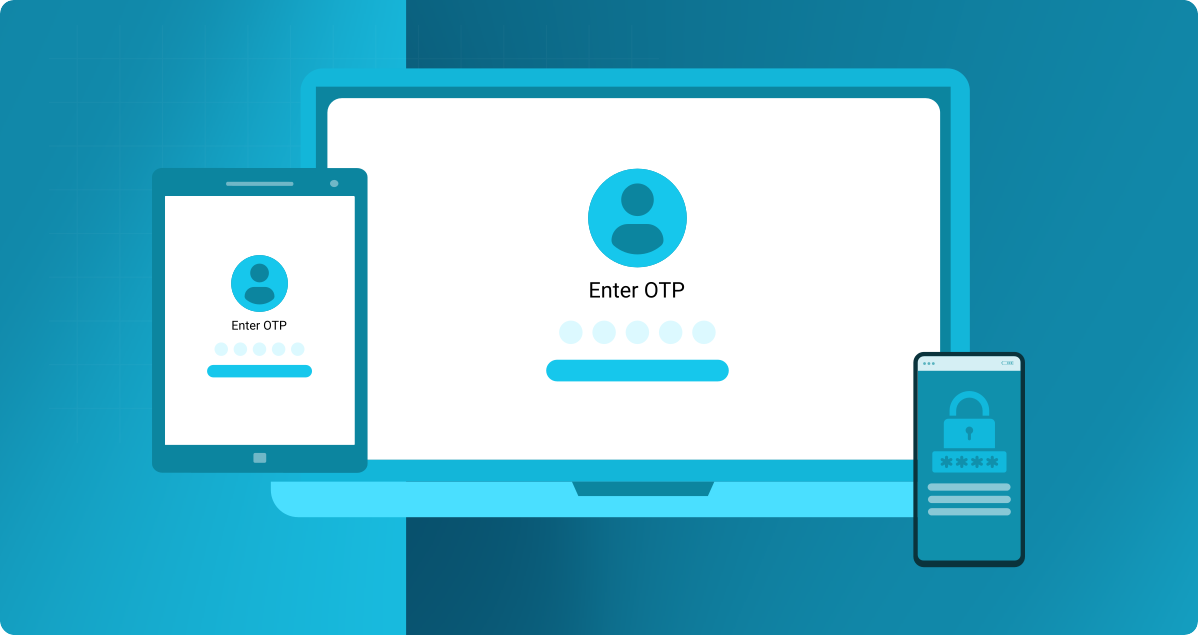
The process follows a client-server model. The MCM Client app communicates with the MCM Server. When an employee wants to access an official document, the MCM Client validates the identity of the user and checks permissions. If all looks good, the user is granted secure, read-only access inside a protected container.
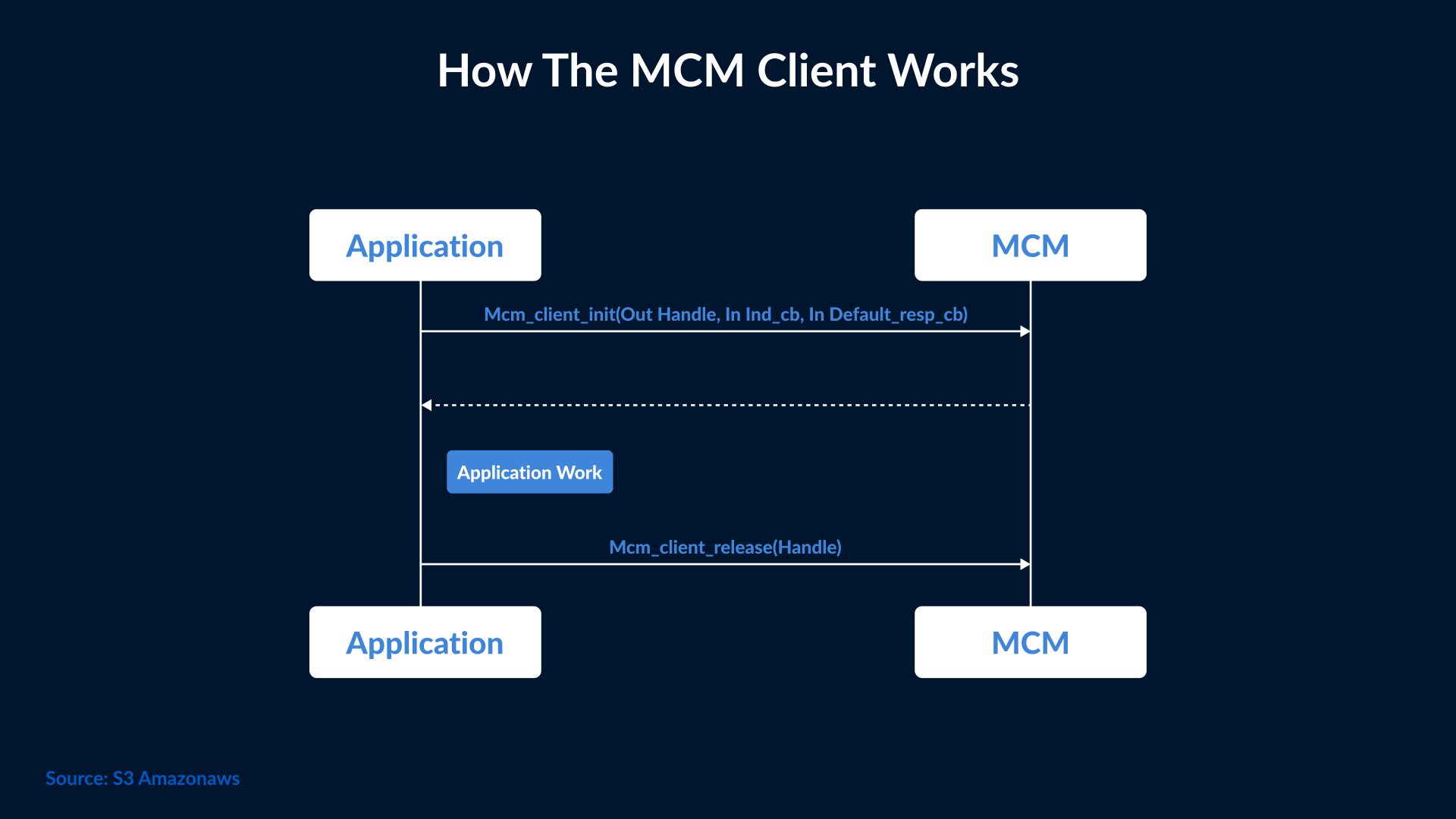
In case the user resigns or the device is lost, then the client automatically wipes the company data remotely. This ensures that sensitive files remain within the encrypted boundary set by IT.
Companies are using advanced MCM Clients that can be integrated with enterprise identity systems like Azure AD, Google Workspace, or Okta for unified login and policy enforcement.
Key Features and Capabilities of Mobile Content Management
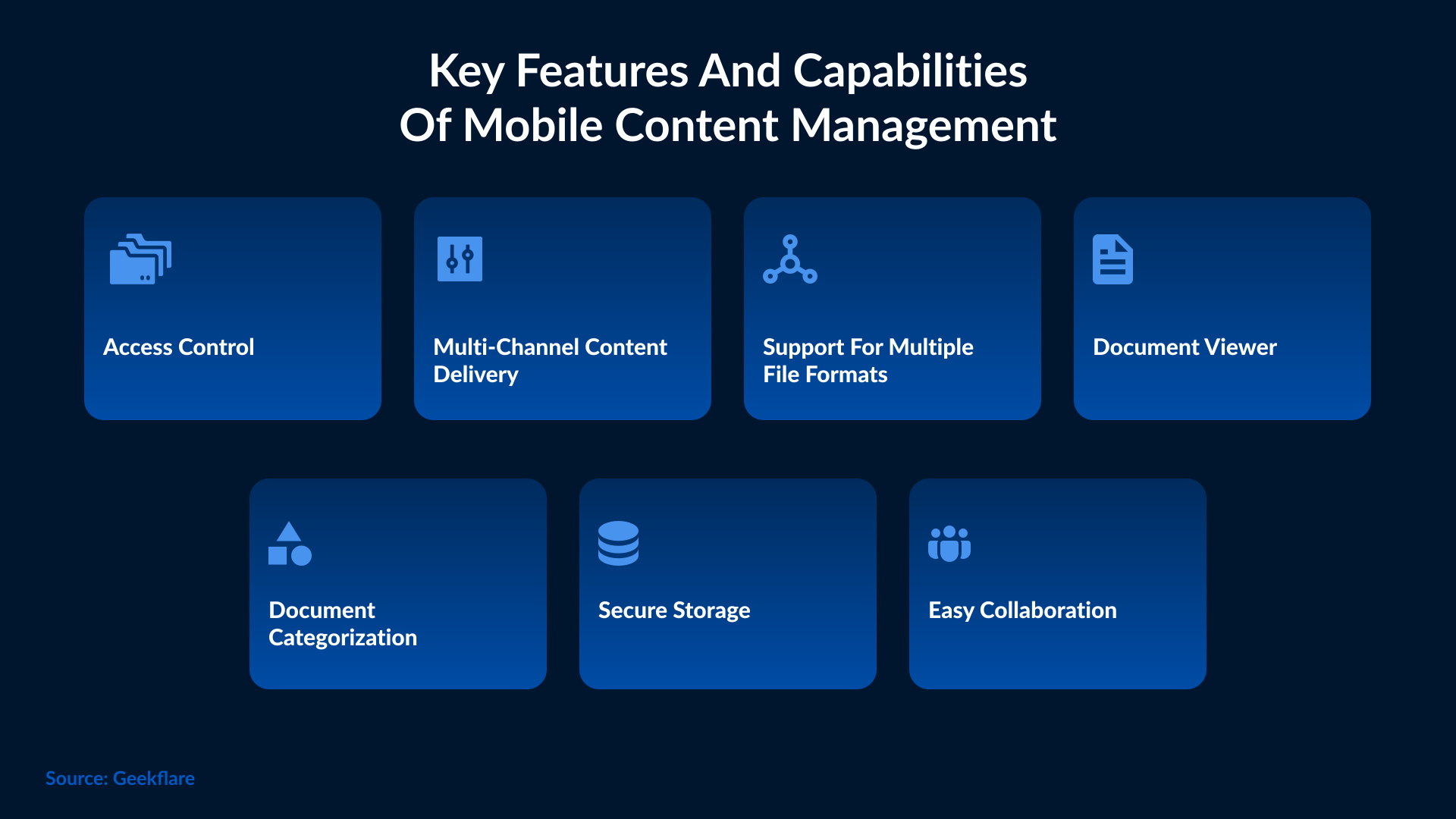
One of the main purposes of MCM is to ensure that businesses can control access to sensitive information, such as customer data, financial information, and corporate strategies. With MCM, businesses can establish security policies that restrict access to this data to only authorized users.
MCM also serves to ensure that mobile device users can only access the information relevant to their work activities. This can include providing access to specific applications, documents, images, and videos that are necessary for daily tasks.
In addition, MCM is useful for businesses that need to manage content on mobile devices efficiently. With MCM, businesses can centralize content management, allowing users to quickly access content relevant to their activities and avoid duplication of files and documents.
Some advanced features of MCM Clients include:
- End-to-end encryption for files stored or transferred through the client app.
- Role-based access control to determine which users can view, edit, or share specific files.
- Built-in content viewer that prevents data copying, taking screenshots, or external sharing.
- Offline access with automatic re-synchronization when the device reconnects to the network.
- Remote data wipe and selective content removal for lost or decommissioned devices.
Business Benefits and Real-World Use Cases
From improved productivity to stronger compliance, MCM Client tools help organizations streamline data access, reduce duplication, and maintain control over who can view or share critical content.
The ability to centralize content and apply uniform security policies ensures that employees across departments or locations work with consistent and authorized information.
Here are a few real-world examples:
- Healthcare: Doctors and nurses use the MCM client on hospital tablets to securely access patients' data. This helps them remain compliant with HIPAA regulations.
- Finance: Relationship managers use MCM Clients to securely view client reports and investment portfolios without downloading data locally.
- Education: Teachers distribute class materials via an MCM Client that restricts file sharing outside the approved student network.
- Manufacturing: On-site engineers access blueprints or manuals through a controlled app to avoid leaks of proprietary data.
Cybersecurity Importance of MCM
Many people have doubts regarding the safety of MCM Clients. Well, they are not like the usual cybersecurity tools, such as antivirus software or firewalls, yet they play an important role in data protection. These clients secure corporate content at the device level, forming a critical layer in the mobile security architecture of an organization. Here’s how MCM Clients support an organization’s cybersecurity efforts:
- Data Protection: They encrypt sensitive corporate files both at rest and in transit to reduce data breach risks.
- Access Control: It’s easy to integrate them with Identity and Access Management (IAM) systems to ensure only authenticated users can access data.
- Compliance: They help maintain compliance with data protection frameworks such as GDPR, HIPAA, and ISO 27001.
- Integration with Zero-Trust Security: MCM Clients fit seamlessly into Zero-Trust frameworks, which help verify the identity of users before granting them access.
- Support for DLP Policies: Many MCM Clients integrate with Data Loss Prevention (DLP) tools to prevent unauthorized file transfers or printing.
While MCM Clients are not traditional security tools, they bridge the gap between mobility and cybersecurity to ensure that productivity doesn’t come at the cost of data safety.
Risks, Privacy Concerns, and Misconceptions
A common misconception regarding MCM clients is that they act as spyware because of their ability to monitor content access. Due to this, many people ask, ‘Is MCM Client safe or not?’ Well, MCM Clients only manage corporate data, not personal files or messages. They create a secure boundary between personal and business information on the same device.
If MCM configurations are mismanaged, then corporate data can be at risk. Mismanagement can be in the form of granting overly broad permissions, weak authentication policies, or outdated client versions.
These concerns can be addressed through transparent privacy settings that notify users about what is being monitored or stored by the MCM client. IT teams must communicate that the MCM Client only protects company data and doesn’t intrude on the user’s personal space.
Implementation and Best Practices
Deploying an MCM Client is easy if you have proper planning and clear governance. Best practices include:
- Assessing Business Needs: Define which data requires protection and who needs mobile access.
- Selecting the Right Solution: Choose an MCM platform that integrates well with your existing MDM or UEM solution.
- Policy Design: Create role-based access rules, data expiration limits, and download restrictions.
- Training and Awareness: Educate employees about how the client works and what information it protects.
- Continuous Monitoring: Regularly audit logs, update client versions, and refine access policies.
When implemented correctly, an MCM Client becomes a critical layer of protection that enhances security without disrupting workflow.
User Perspective: When You Find the MCM Client on Your Device
If you find an MCM Client app preinstalled on your phone, don’t panic. It’s not malware. It’s a legitimate app installed by your employer or mobile carrier to manage secure content. If your mobile device is enrolled in a corporate mobile program, then the MCM Client will ensure secure communication between your device and the company’s content server. It will encrypt the data, handle downloads, and permissions.
To verify safety, here’s what you should do:
- Check if your device is issued by your company or connected to a workplace account.
- Check whether the MCM Client appears under ‘Device Management’ or ‘Work Profile’ Settings. If yes, then your device is authorized by your organization.
- Don’t uninstall the MCM Client unless instructed by your IT department. Uninstalling the tool may affect access to corporate data or compliance.
Future of Mobile Content Management
Digital workspace is becoming more advanced with each passing year, and so is MCM technology. Now, it is merging with Unified Endpoint Management (UEM) platforms that manage devices, apps, and content from a single dashboard.
Artificial Intelligence is also playing an important role by automating content classification and detecting risky sharing behavior. AI also adjusts the access permissions based on the risk factors and user behavior.
MCM Clients will most likely integrate with Zero-Trust architectures and cloud-based collaboration platforms. This will ensure every data interaction is verified, encrypted, and most importantly, compliant.
Conclusion
MCM Clients play a crucial role in securing corporate content and enabling safe mobile collaboration. They handle data encryption and policy-based access that balance security with employee productivity. As a result, data always stays protected regardless of where employees work. For organizations looking to implement or optimize MCM Client deployment, SafeAeon can help ensure seamless integration aligned with corporate policies and compliance standards.