


Key Takeaways
- In 2024, IP-fragmented flood attacks accounted for 40% of DDoS traffic, topping the list of attack vectors. (Qrator Labs)
- In Q2 2025, Cloudflare blocked more than 6,500 hyper volumetric DDoS attacks, which is more than 71 attacks per day.
- Government services, transportation, and financial institutions accounted for more than 63% of all global DDoS attacks. (Stormwall)
Introduction
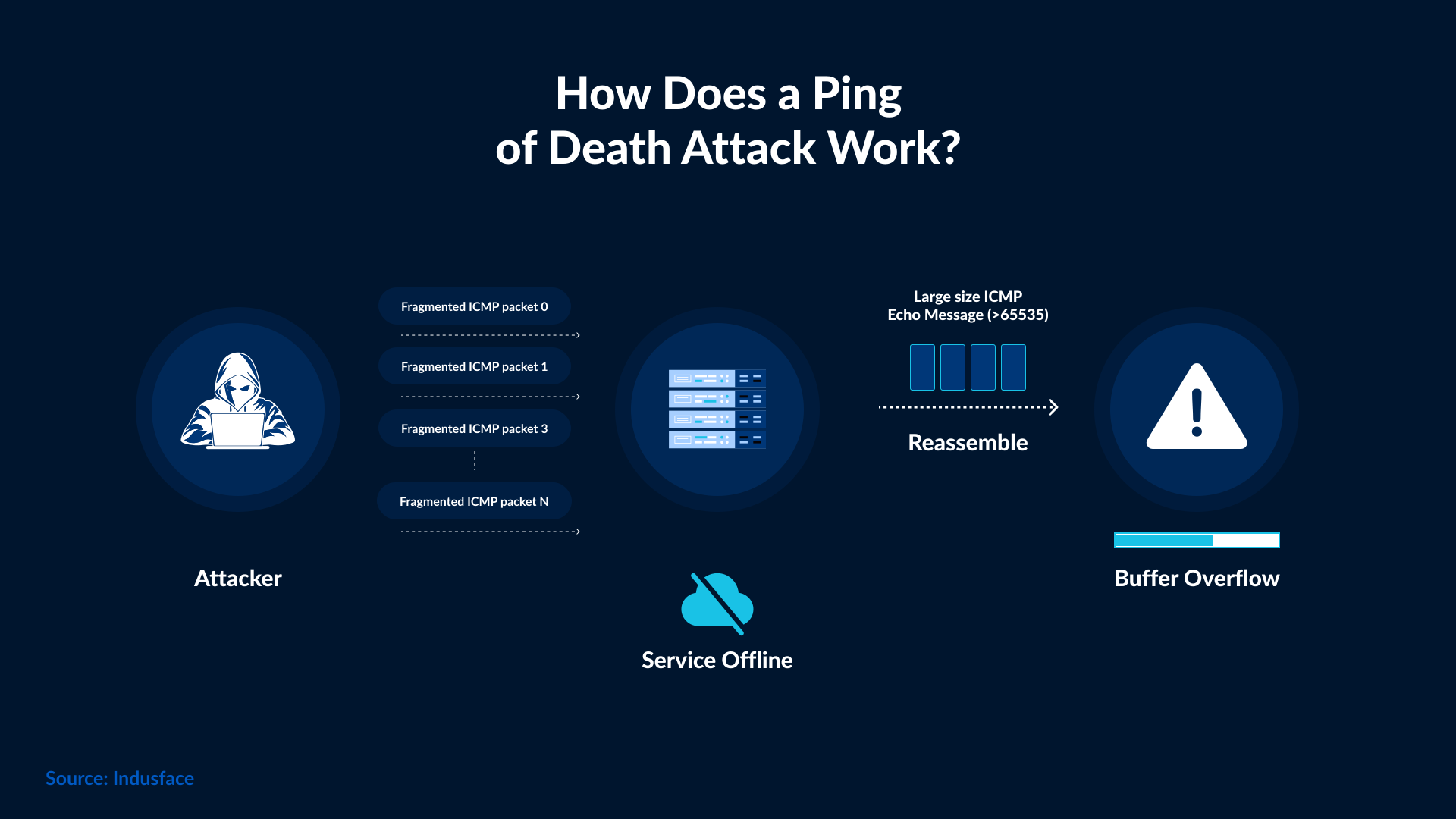
A ping of death is a type of Denial-of-Service (DoS) attack in which an attacker sends a malformed or oversized Internet Control Message Protocol (ICMP) packet larger than the maximum allowed size of an IP packet. As the packet is larger than the target system can handle, it must be fragmented into pieces to be transmitted smoothly. When the target system tries to reassemble these fragments, it causes a buffer overflow, which can result in a system crash, freeze, or reboot.
How Does the Ping of Death Work?
The maximum size of an Internet Protocol Version 4 (IPv4) packet is 65,535 bytes. Most legacy computers can handle packets of this size, but not larger ones. Sending a ping larger than the value above violates the IP rules. What attackers do is they send packets in fragments. When the targeted system attempts to reassemble the packets, it results in an oversized payload that causes the system to crash, freeze, or reboot.
In simpler terms, an attacker sends a ping that’s too big for a system to handle. The system tries to rebuild it, eventually runs out of space, and stops responding.
Any source that sends IP datagrams can exploit this vulnerability, including a normal ICMP echo request. That’s why it’s crucial to carry out network-level filtering. A correctly configured firewall can block these malformed packets before they can reach your system.
Does the Ping of Death Still Work?
The Ping of Death first appeared in the mid-1990s. It was powerful enough to crash Windows, Unix, and Linux operating systems. By 1998, software updates had largely addressed most of the vulnerabilities associated with those attacks. Today, the original attack can’t crash modern-day systems, but its idea still exists. There are newer denial-of-service techniques used to attack systems and render them useless.
If an organization is using legacy devices and equipment that haven’t been patched, then they are still vulnerable to Ping of Death attacks.

In Q2 of 2025, Cloudflare reported blocking several hyper-volumetric DDoS attacks, some reaching 4.8 billion packets per second (Bpps) and 7.3 terabits per second (Tbps). These attacks used a large volume of botnets to flood targets with traffic, making systems unreachable. A modern version of the same old attack was used to achieve the same goal. The scale has changed, but the goal remains the same, i.e., to overwhelm systems with more or bigger packets than they can handle
With time, the scale and speed of attacks have changed, but there hasn’t been any change in the way to stop them. The first layer of protection still begins at the network edge, with your firewall.
How do Firewalls Protect Against Ping of Death Attacks?
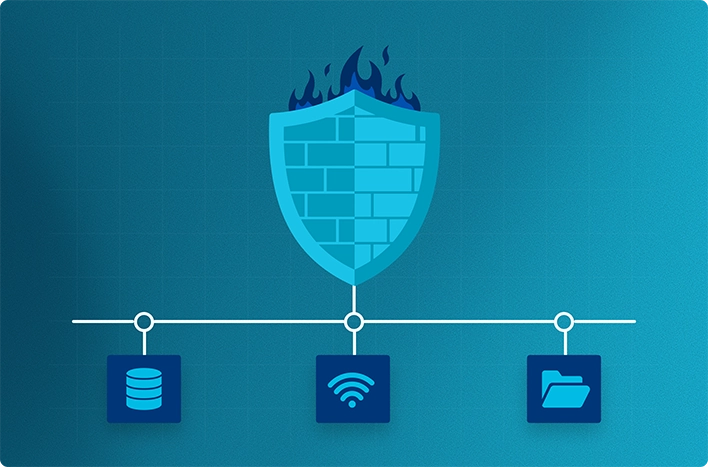
A firewall acts like a security gatekeeper, inspecting every packet that enters or leaves your network. A firewall decides which packets to pass and which ones to stop. A firewall must be properly configured to block malicious traffic before it reaches your systems, such as oversized or malformed ping packets, before they reach your systems.
There are two major roles firewalls play against the Ping of Death.
- Filtering harmful ICMP traffic: Firewalls inspect each ping request and reject packets that are fragmented, unusually large, or coming from suspicious sources.
- Protecting unpatched or legacy devices: A properly set firewall, even if it is installed on older routers or IoT equipment, can stop those packets before they attack those devices.
Modern firewalls don’t just block the packets; they detect sudden spikes in ICMP traffic and automatically limit or drop them. They can do it because they include built-in DoS protection. Some firewalls can even recognize abnormal packet sizes or repeated ping bursts that include an ongoing attack.
These filters are essential to reduce network vulnerability. Without them, a single malicious packet can overload your network or cause downtime. Here, your firewall acts like a silent shield, managing pings safely while ensuring the flow of legitimate traffic.
How to Configure Firewalls Against the Ping of Death
Firewalls can only protect your system if they are properly configured. Configuring a firewall is not rocket science. A few simple checks and adjustments can reduce network vulnerability.
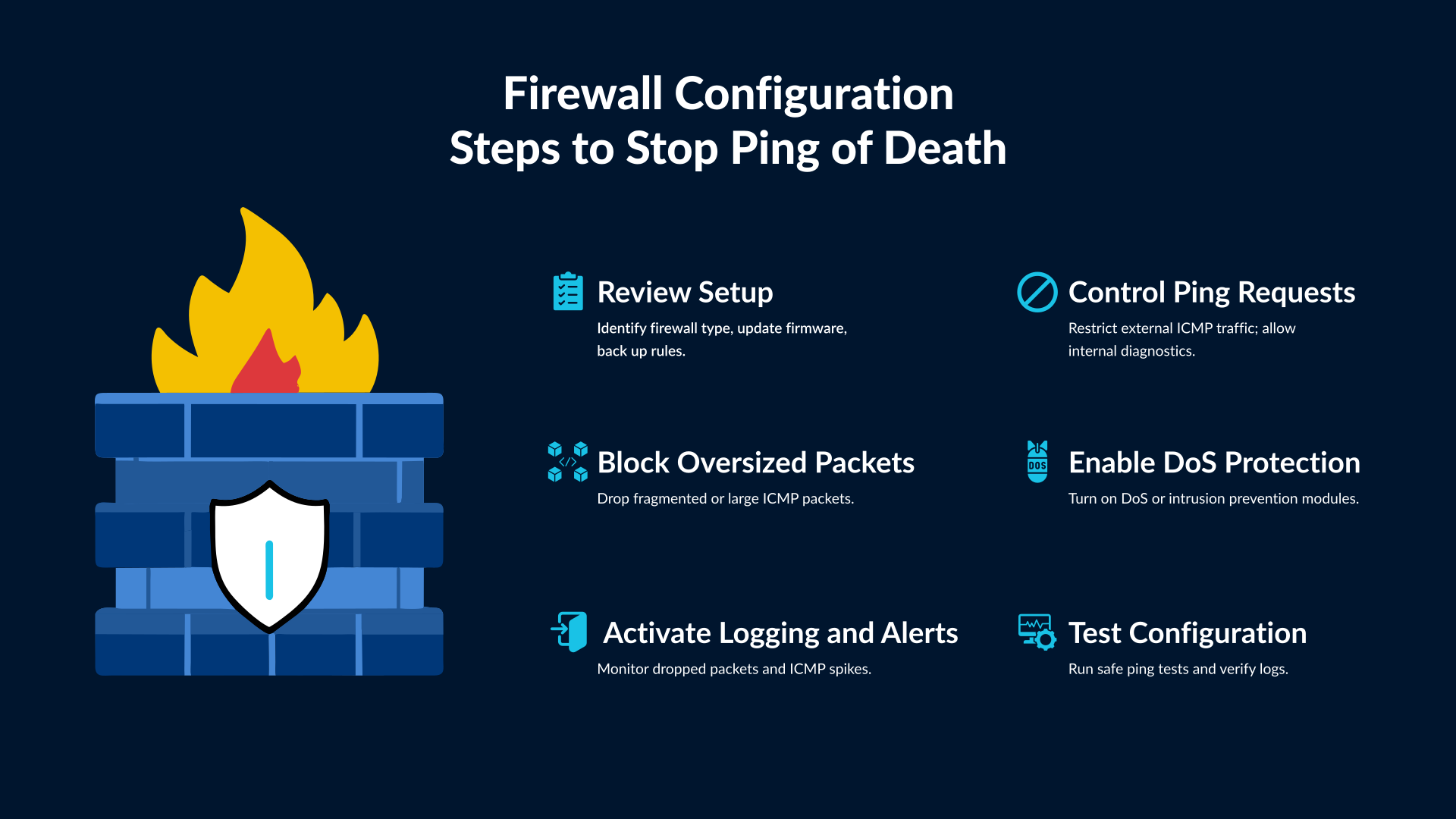
1. Start with a Quick Review
Before you change anything, make sure to take a quick look at your setup.
- Identify the firewall type you use, whether hardware, software, or cloud-based.
- Check if the firewall is running on the latest firmware or version.
- Save a backup of your current rules.
- Turn on logging if it is not already enabled.
With these steps, you can easily roll back changes in case of any issue with the configuration.
2. Control Ping Requests
Ping requests are useful for testing, but attackers can misuse them. You should review your firewall policy and restrict unnecessary pings coming from outside the network.
Most firewalls allow you to set a limit on how often external devices can send ping requests or block them completely. Keep internal ping traffic open so your team can still test and monitor systems. The goal is to stop strangers on the internet from using ping as a weapon.
3. Block Oversized or Fragmented Packets
Ping of Death attacks depend on large or broken packets. Your firewall should block any ICMP packets that look too big or fragmented.
Many modern firewalls already have a setting for this. It may appear under advanced filtering, ICMP control, or DoS protection. Once you enable it, your system will quietly drop malformed packets before they reach your devices.
This small rule prevents most Ping of Death attempts from succeeding.
4. Enable DoS and Intrusion Protection
Your firewall will have some built-in security features, such as ‘Turn on Denial-of-Service (DoS) protection’, ‘intrusion prevention’, or ‘anomaly detection’. If you see these in your firewall, turn them on.
These modules recognize suspicious patterns, such as repeated ping bursts or abnormal packet sizes. Once found, the firewall blocks them automatically. They also limit the number of requests coming from a single source, protecting your network from sudden floods.
Think of it as an extra safety net that never sleeps.
5. Activate Logging and Alerts
Logging shows you what your firewall is doing. It keeps a record of blocked packets and suspicious activity.
Enable alerts for repeated ICMP drops or unusual traffic spikes. Regularly check these reports to see if someone is trying to reach your network through pings. If the same address appears often, you may be facing a targeted attempt.
Logs turn your firewall from a silent guard into a visible one. You will know exactly when it blocks something.
6. Test the Configuration
Once you update your settings, test them. You can try sending normal pings from inside your network to confirm internal communication still works. Then attempt a ping from an external connection; it should fail or show a limited response.
Some firewalls include built-in test tools. You can also review logs to verify that large or fragmented packets are being rejected.
Avoid using real attack tools. Basic ping tests are enough to confirm that your configuration is working.
A firewall does not need to be complex to be effective. Simple steps like blocking bad traffic, limiting requests, and checking logs can protect your network from Ping of Death and similar attacks.
Testing and Additional Hardening Tips to Reduce Network Vulnerability
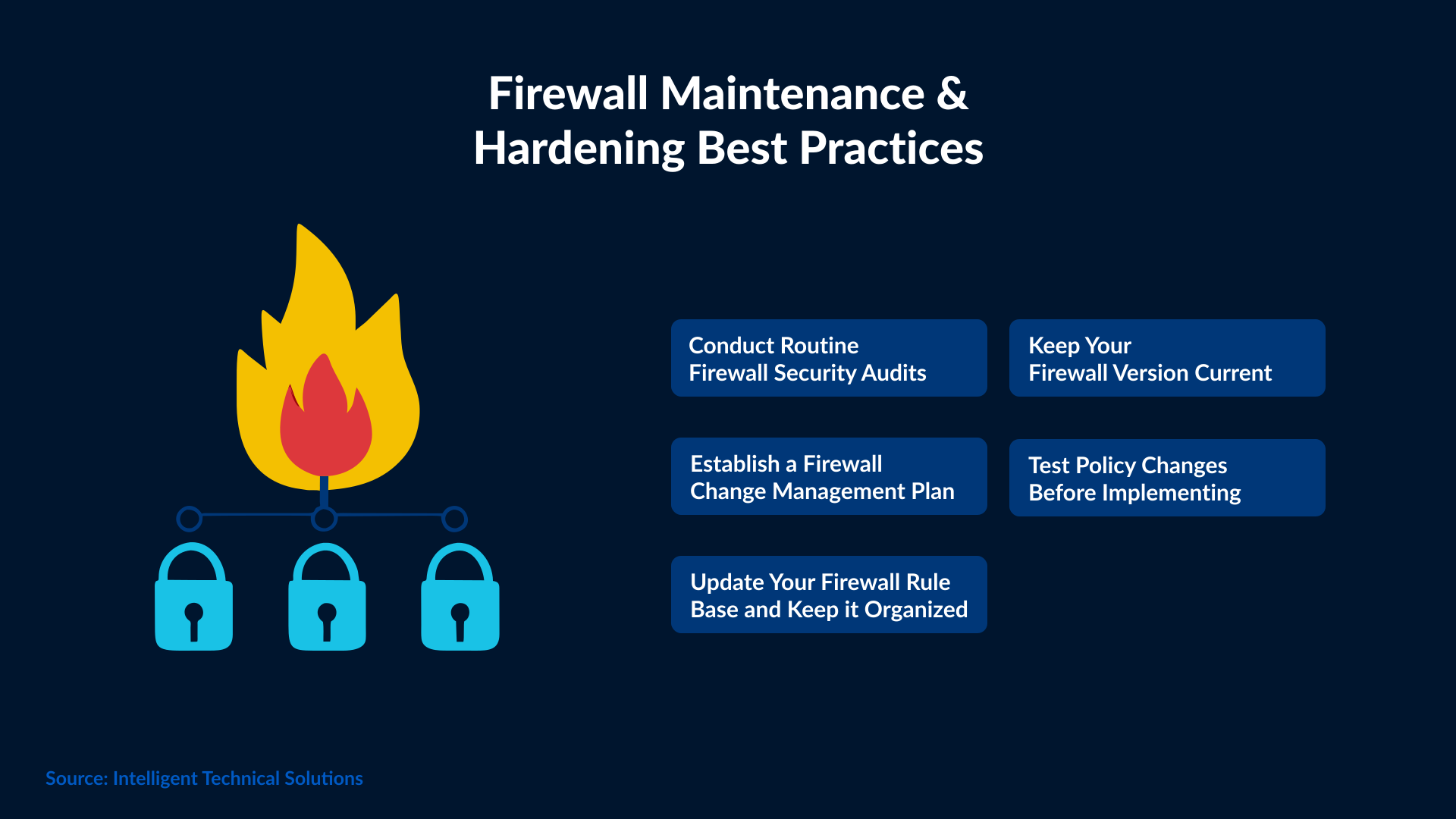
Once your firewall configuration is complete, review it regularly. As cyber threats are changing quickly, you can’t rely on old rules because they may miss new attack patterns.
You must keep your firewall and network devices up to date with the latest patches. Disable unused ICMP types, such as timestamp and redirect, to minimize entry points to your system. If possible, pair your firewall with any intrusion prevention system or continuous monitoring tool.
A quick monthly review of logs and alerts is also a good idea, as it will let you know if your system protection is active and reliable.
Conclusion
The Ping of Death may have started decades ago, but the idea behind it lives even today in many denial-of-service attacks. A firewall can block those malicious packets before they damage your systems, provided it is correctly configured.
You don’t need complex tools for that, just regular updates, smart filtering, and knowing how your network handles ping traffic. Get in touch with SafeAeon if you need any help configuring a firewall.
A few simple rules can protect your devices from the same attacks that once brought entire systems down.