

Key Takeaways
- The global average cost of a data breach in 2025 was $4.45 million. Email remains one of the primary vectors for data breaches. This shows how important it is to incorporate data loss prevention (DLP) tools in organizations. (IBM)
- By 2027, 70% of large enterprise CISOs will adopt consolidated DLP for both insider risk and exfiltration. (Gartner)
Introduction
Email is one of the most common ways for teams to share information. Emails are used to send contracts and share reports across teams. Client data is transferred back and forth every day. It’s a common activity in many organizations and is often trusted by default.
For MSPs, email creates a different kind of responsibility. As they manage multiple client environments, a single email sent in the wrong direction can expose sensitive information and cause problems for clients.
To prevent such incidents, MSPs use email data loss prevention. It helps detect sensitive data when it is about to leave an environment. Email DLP applies certain rules to the outgoing emails to prevent damage. In environments managed by MSPs, email DLP is not a tool but a part of daily monitoring and response. It helps MSPs stay accountable for the email security of client environments.
Let’s get into the details of why email DLP matters in MSP-managed security environments. Apart from that, the focus will be on real risks and workflows, and how MSPs play a part in protecting client data through email.
Why Email Is a Risk Area for MSP-Managed Environments
Sending emails is a normal activity in most organizations. People send quick updates. Files get shared. Messages go out without much pause, especially during busy hours. Many emails contain attachments as well. This makes email one of the easiest ways for data to leave an environment unnoticed.
It becomes even riskier in environments that MSPs manage. Normally, an MSP supports multiple clients. Each client uses email in a different way. Some clients use emails to handle financial data, while others use emails to handle personal records or internal reports. The same email mistake does not affect one company. It creates trust issues across multiple accounts.
Common risk points that can affect client trust include:
- A file is sent to the wrong address.
- Someone forwards an email outside the company without thinking.
- Attachments are shared again without being checked.
- Replies are sent quickly because the sender is in a hurry.
Attackers play no role in most of these issues. They happen during normal work. A user enters the wrong address or attaches the wrong file. The email is sent without any review.
For MSPs, email risk is harder to control because visibility is spread across clients. Activity happens across different tenants and tools. Small mistakes can easily pass through without proper controls.
Email is a risk area not because of its complexity, but because of its high trust factor. That trust is what makes it dangerous in managed environments.
Common Ways Email Data Gets Leaked Across Client Environments
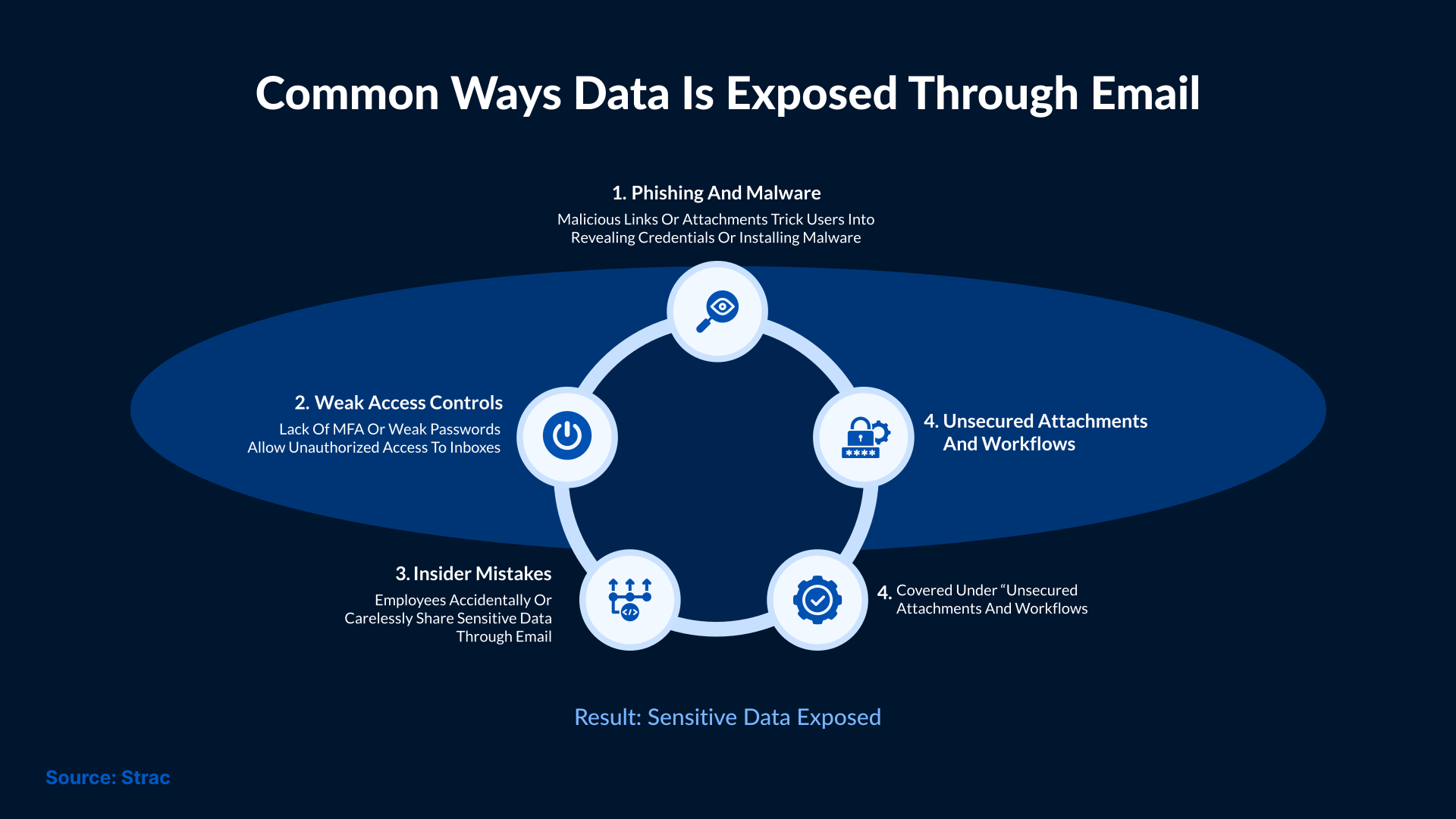
Email data leaks can occur for several reasons. It usually begins with small actions that do not seem harmful at the time.
Here are some of the most common mistakes users make that lead to unintentional data leaks:
- Choosing the wrong email address from auto-complete suggestions
- Reusing an old email thread where not everyone should still have access
- Attaching a document meant for internal review to an email sent outside the environment
- Sending an attachment to a personal email address to review later
- Using reply-all and sharing the email with people who were not meant to see the attachment
Email forwarding does not look risky at the moment it happens. Someone shares the message because it seems useful. The attachment goes with it. After a few forwards, no one remembers why the file was shared in the first place. By then, it has already moved beyond the original environment.
Tight deadlines can also change how people handle email. Messages are sent quickly. Attachments are added with less thought. Their focus shifts to replying and moving on to the next task. This is where errors can happen.
You see the same situations across different client environments. Nothing is done on purpose. The issue starts once the email is sent. After that point, it is hard to see where the data goes or who ends up with it.
How Managed Email Data Loss Prevention Works
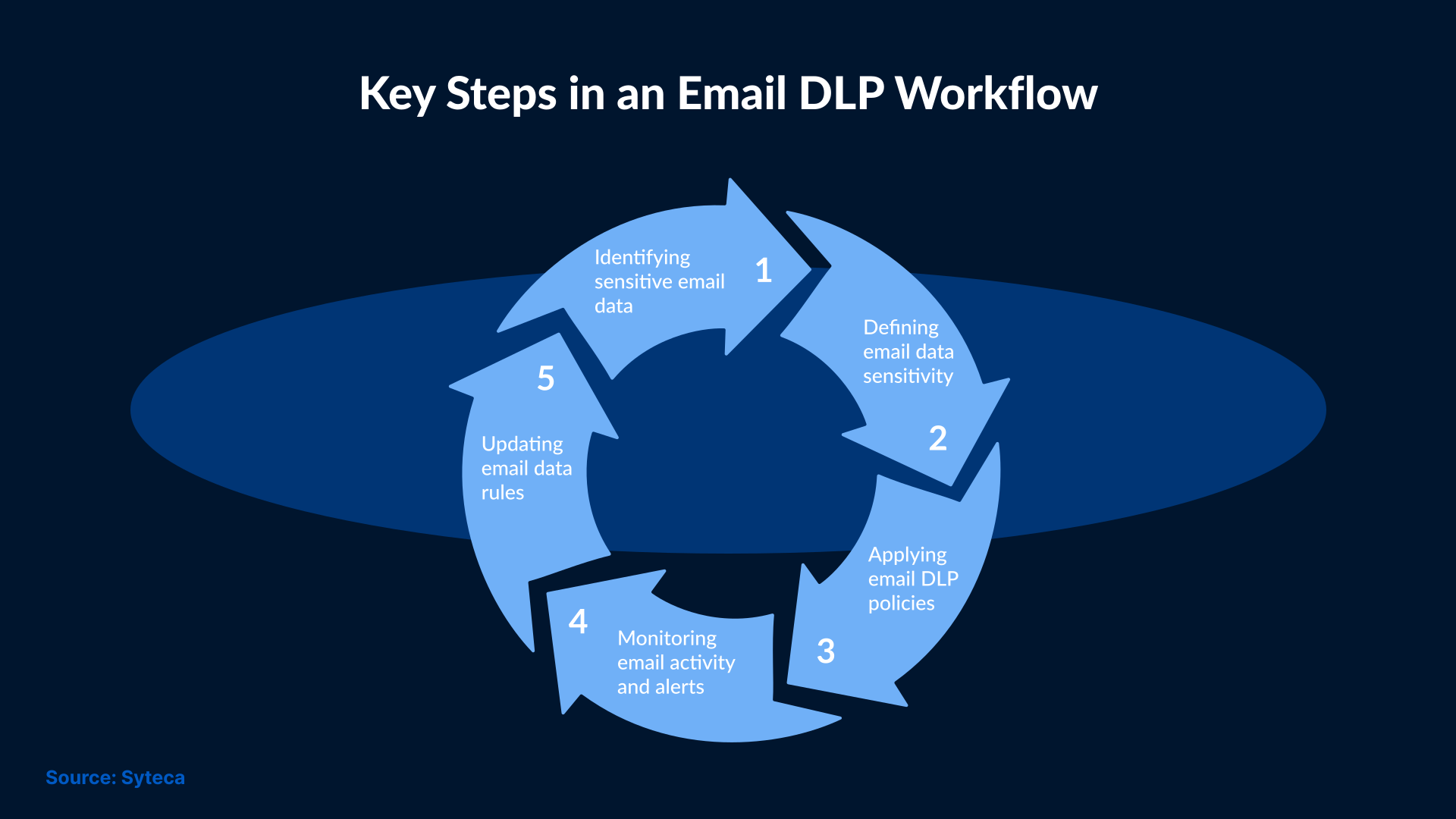
Email data loss prevention runs quietly in the background of an MSP-managed environment.
At a basic level, email DLP looks at messages before they leave the system. It checks the email content and the attached files. Sometimes the system looks beyond the message itself. It may consider who is sending the email and who is receiving it. When something seems unusual, the message is treated differently before it leaves the environment.
Managed Service Providers (MSPs) handle a variety of configurations throughout the business day. While the majority of users send business documents through email, other setups involve users sending financial information through email. Different email rules apply depending on the type of content flowing through the email system. Risky-looking messages are typically quarantined, whereas other messages are subject to additional scrutiny, with most messages processed as normal.
When an email matches a risk rule, it triggers an action. The email may be stopped before it goes out. Or a log is generated when a message is sent. Sometimes, emails are sent with added protection, such as encryption. The response depends on the policy and the level of risk.
Managed email DLP is not set and forgotten. Alerts come in regularly. Many are harmless. Those are tuned down over time, so teams do not stop paying attention to the system. Rules are refined as business needs change. What worked a few months ago may need updates today.
Each client stays separate. MSPs still keep an eye on everything from one place. As email DLP runs quietly in the background, it can easily become part of the routine. It can help the security team detect unusual email activity early, rather than finding out after an incident.
How SOC Teams Monitor and Respond to Email DLP Alerts
When email DLP flags an email, it goes to the SOC team. Analysts are watching alerts across multiple clients. Their job is to spot the activity that needs attention and ignore what does not.
Analysts are quick to review most alerts. They thoroughly check what was sent and who sent it. The path of the email is also monitored carefully. Context plays a key role in the entire process. A file that was sent internally may be fine. But the same file sent outside may not be.
If there is a serious alert, the SOC steps in right away. There is a good chance that the email is already stopped or requires an action. The team informs clients in some cases, while at other times the issue is handled quietly.
Over time, the SOC understands what’s normal for each environment. This speeds up the responses and reduces unnecessary noise.
Why Email DLP Matters for MSP Security Services
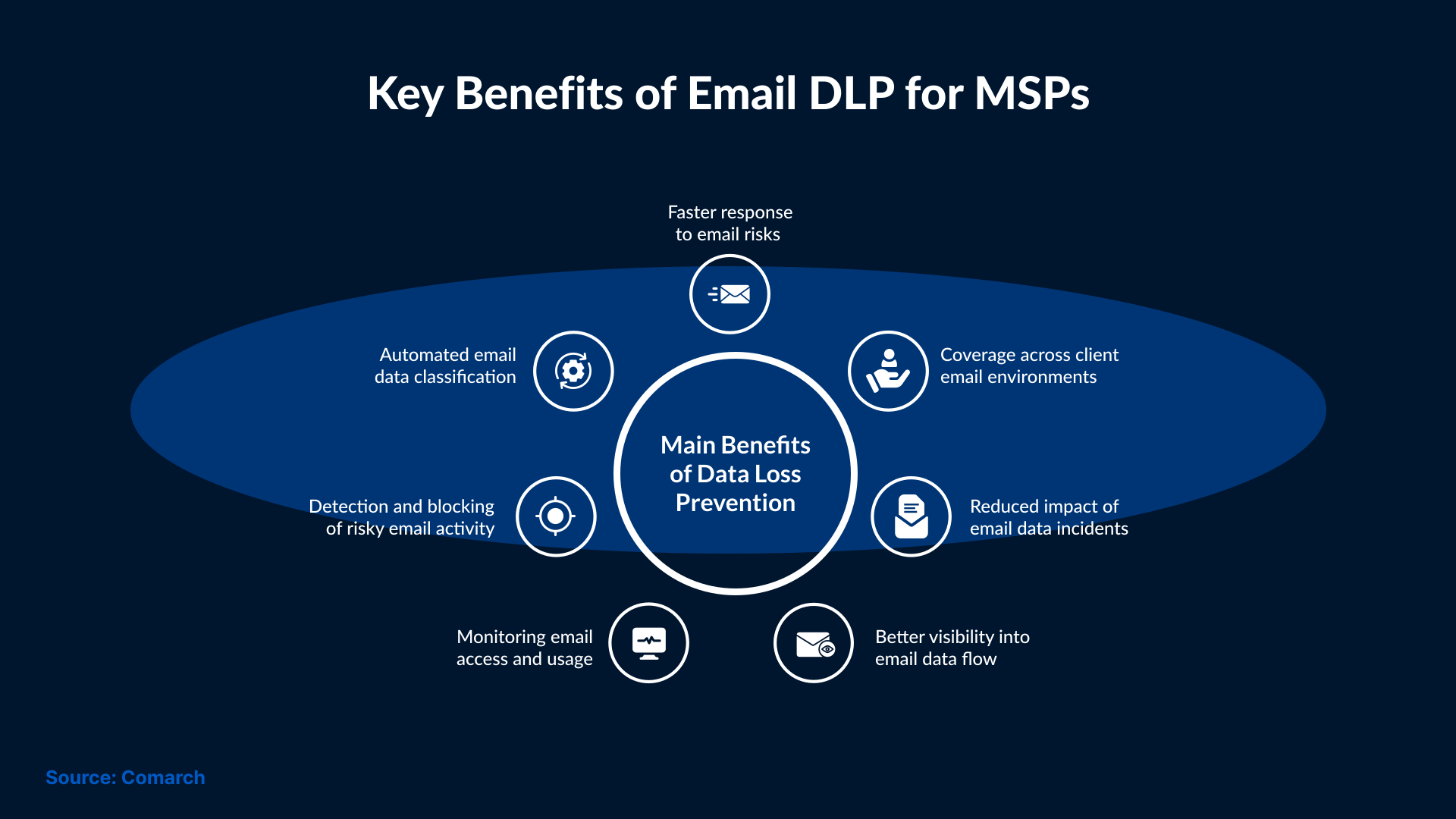
Email issues are usually not clear security issues. They are small mistakes at the beginning that are easy to miss due to limited visibility.
This is where DLP can prove useful for MSPs. It adds another layer of awareness to routine security work. Teams can identify problems while they are still manageable rather than finding out about them after the data has already been sent.
Email DLP also helps bring consistency across clients. Each environment follows its own set of rules while the monitoring remains steady. This helps SOC teams explain actions more clearly and respond with greater confidence. It reassures clients that email risks are regularly checked rather than taken for granted.
Best Practices for Running Email DLP as a Managed Service
Email DLP systems need to stay simple. Too many rules or alerts can quickly become overwhelming. On the other hand, rules that are too loose make it easy to miss real issues. As MSPs watch how customers use email day to day, they adjust existing rules over time. This helps reduce noise while making it easier to spot alerts that actually matter.
Here are a few practices that can help MSPs:
- Setting up simple rules in the beginning and expanding them only when necessary.
- Reviewing alerts on a regular basis in order to prevent them from piling up.
- Tuning out repeat alerts that are considered harmless in the past.
- Keeping client workflows in mind before blocking messages.
Communication also plays an important role. When a SOC team stops or flags an email, they should explain the reason in easy-to-understand language. Any confusion in clients' minds would lead to workarounds and create new risks.
Email DLP does not need to catch every single issue perfectly. The system should work reliably without disrupting the routine work.
Common Email DLP Situations in MSP Environments
Most email DLP alerts come from normal work, not from attacks. A normal incident, such as a team member sending a report to a vendor with a file attached that was meant for internal teams, can trigger an alert. Similarly, if a user forwards an email thread that still has older files attached, or a file that was meant for internal review is sent outside the company in a rush, this can also trigger an alert.
In all these cases, the sender feels nothing unusual at the time. That’s why it is hard to detect these situations until an alert is already raised.
These scenarios are familiar to MSPs. Unusual emails appear easily across different environments and industries. Email DLP helps catch them before a small mistake turns into a bigger issue.
Conclusion
The reason email carries risk is that it is a part of everyday work. Small mistakes made unintentionally can result in data leaving an environment without being noticed. This gap can be hard to control for MSPs managing security environments for different clients if they lack proper visibility.
With email DLP, this gap can be closed. It offers MSPs a way to monitor email activity and catch risk behavior early. This allows them to respond to issues before they escalate. MSPs should know how to manage email DLP properly so they can use it in daily operations without disrupting team workflows.
At SafeAeon, email DLP is considered a part of ongoing security operations. It is monitored along with other security signals through the SOC. This allows email-related risks to be handled with the same care and consistency as any other event.
Email DLP should not be used as an add-on in MSP-managed environments. It is a practical control that can provide better visibility and trust across client environments.