

Key Takeaways
- SaaS security is now a major priority for businesses. A 2024 CSA report found that 70% of organizations have established dedicated SaaS security teams.
- SaaS visibility remains a major gap. AppOmni’s 2024 report found that 49% of Microsoft 365 users believed they had fewer than 10 connected apps, while AppOmni’s data showed more than 1,000 connections on average.
Introduction
As more companies adopt Software-as-a-Service (SaaS) applications, securing these cloud-based environments has become a business priority. SaaS platforms support daily operations, store sensitive data, and connect with users, devices, APIs, and third-party applications.
This flexibility also creates security risks. A SaaS app may have weak settings, or a user may have more access than needed. At times, a third-party app is connected to the SaaS application without proper review. These are all security gaps, which can expose business data.
SaaS Security Posture Management (SSPM) helps organizations continuously monitor and manage these risks. It does so by identifying misconfigurations, risky third-party app connections, and compliance gaps before they can escalate into bigger security incidents.
This is why organizations need continuous SaaS visibility rather than relying on manual reviews or vendor-default settings.
Why SaaS Security Posture Management Matters
As more organizations move to SaaS, they are losing visibility into how their applications are configured and accessed. Each SaaS platform may have different settings for users, permissions, data sharing, integrations, and third-party apps.
There could be several reasons leading to security gaps. These include unreviewed access controls, excessive permissions, and non-compliance with approved standards during configuration. These gaps allow attackers to gain access or expose sensitive data. Organizations can also be penalized for non-compliance.
Cloud security assessments can help identify these issues at a point in time. SSPM adds continuous monitoring across supported SaaS applications. It helps security teams detect any misconfigurations or risky permissions that may allow attackers to gain access to the environment. Security teams can also identify exposed data and policy violations before they turn into bigger problems.
SSPM is no longer an add-on for SaaS security. It is crucial for managing SaaS risk and improving cloud security posture. Organizations that rely heavily on SaaS should consider SSPM as part of their SaaS security strategy.
What Is SaaS Security Posture Management?
SaaS Security Posture Management (SSPM) is responsible for monitoring and managing the security settings of Software-as-a-Service (SaaS) applications.
Using SSPM, teams can find weak areas in their SaaS setup. These weak areas may include users with more access than needed, misconfigured settings, or connected apps with risky permissions.
These issues can be hard to track when each SaaS app is managed separately. But SSPM makes these risks visible. It also helps security teams decide which issues to address first. Some SSPM tools can suggest fixes while others apply changes automatically if the SaaS app supports it.
What Does SaaS Security Posture Mean?
SaaS security posture refers to the overall security condition and risk level of an organization’s SaaS applications.
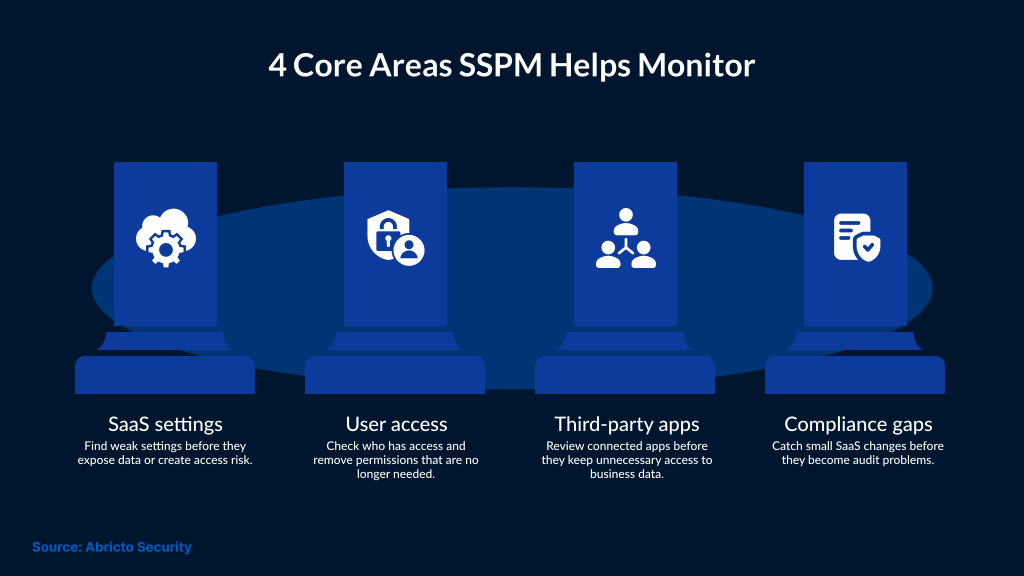
It shows how well these applications are configured, monitored, and controlled to reduce the risk of unauthorized access, data exposure, and misconfigurations. A strong SaaS security posture can help teams identify compliance gaps earlier.
Here's how a strong SaaS security posture helps organizations:
- Secure access controls
- Least-privilege permissions
- Data protection settings
- Encryption
- Third-party app review
- Alignment with compliance requirements.
SaaS security posture requires continuous monitoring because SaaS settings, users, permissions, and integrations can change over time. So, if these changes are not reviewed, they can create security gaps. Managing SaaS security posture helps organizations reduce the risk of data leakage and improve visibility into their security posture. In addition, it supports compliance, thereby improving an organization's overall cybersecurity posture.
How SSPM Works
SSPM helps organizations continuously monitor SaaS applications. Additionally, it helps identify risks across users, permissions, configurations, integrations, and connected apps.
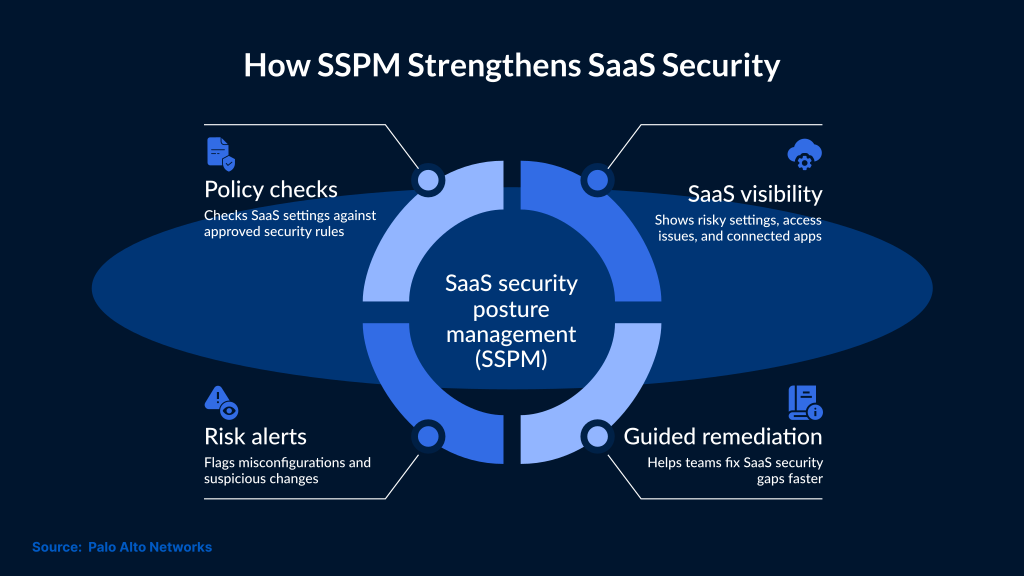
Each SaaS app should follow the company’s security rules. SSPM helps confirm where that is happening and where it is not. For example, one app may have too many admins. Another may allow files to be shared outside the company. A third-party app may also have more access than it needs. These issues are easy to miss when teams review SaaS settings manually.
SSPM also helps detect risky changes over time. SaaS environments can change quickly upon adding new users, updating permissions, or connecting new integrations. Continuous monitoring helps security teams find these issues before they create larger exposure.
SSPM tools identify the risks and then prioritize them on the basis of severity and business impact. Many tools also provide guided remediation steps, while some enforce policies or automate fixes if it is supported by the SaaS platform.
This helps teams reduce manual review work. As a result, they can respond more quickly to the security gaps created by SaaS in order to maintain stronger control over cloud-based applications.
Key Capabilities and Related Controls for SSPM
SSPM focuses on continuous visibility across SaaS applications. It helps security teams review configurations, permissions, integrations, connected apps, sharing settings, and compliance gaps from one place.
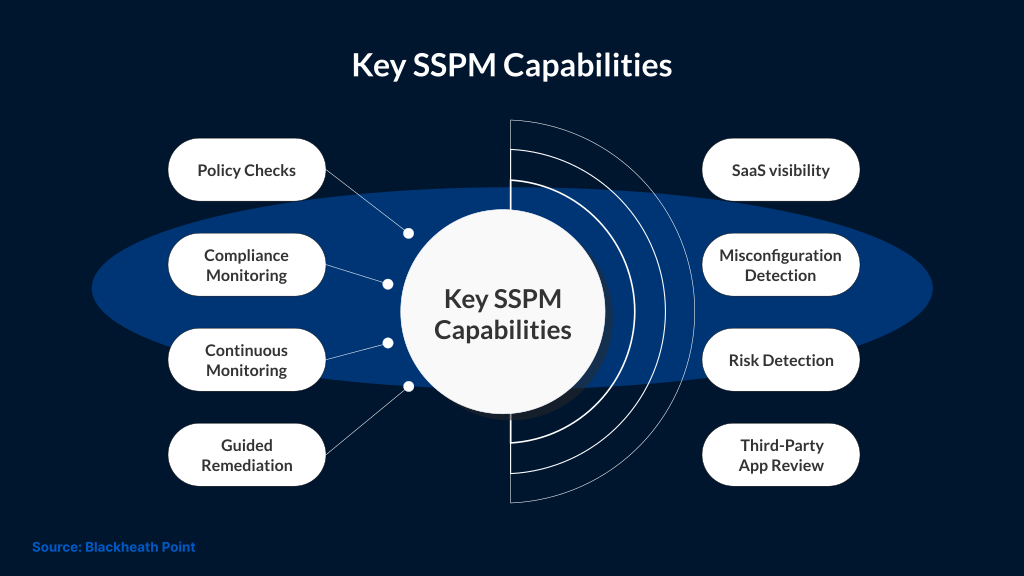
Key SSPM capabilities include:
Configuration Monitoring: SSPM checks SaaS settings against approved security policies and best practices. This is done to identify risky defaults, weak admin controls, or configuration changes.
Identity and Permission Review: SSPM reviews users, roles, and privileges, as well as inactive accounts and excessive permissions. This supports least-privilege access and reduces the risk of unauthorized access.
Third-Party App and Integration Visibility: Many SaaS platforms connect with third-party apps, browser extensions, OAuth applications, and APIs. SSPM helps identify risky integrations and overprivileged app connections.
Data Exposure Review: SSPM helps detect exposed files, risky sharing settings, and sensitive data access risks across supported SaaS applications. This supports stronger data protection and compliance management.
Compliance Monitoring: SSPM can help map SaaS configurations to security policies, industry standards, and regulatory requirements. This allows teams to identify gaps before audits or security incidents.
Guided Remediation: SSPM tools can prioritize risks so teams know where to start remediation. Some tools can also trigger automated fixes where the SaaS platform supports it.
SSPM also works with other security controls, but it is not the same as them. IAM helps manage users and access. DLP helps protect sensitive data. SIEM helps collect and review security events. CASB helps apply cloud access policies. SSPM focuses more on SaaS settings, user permissions, connected apps, and posture gaps that may create risk.
Benefits of SaaS Security Posture Management
SSPM offers organizations better visibility into SaaS apps. They can identify small changes that otherwise may go unnoticed during regular use.
Identify Data Exposure Risks: SaaS apps often hold sensitive business data. This can be a shared folder, a customer record, or an internal document. SSPM helps teams find spots where access is too open. Security teams will also be notified about exposed files, public links, or unreviewed sharing settings
Reduce Identity and Access Risks: Inactive accounts are a common risk. So are users who still have admin access after their role changes. SSPM helps teams find these access issues before they are abused. It also helps find inactive accounts, risky admin access, and users with more access than they need.
Improve SaaS Configuration Management: SaaS settings can change during normal use. As a result, a user may get a new role, or an integration may be added. Security teams can detect these changes early with SSPM. As this happens, the likelihood of configuration gaps going unnoticed decreases significantly.
Improve Third-Party App Visibility: Many SaaS apps integrate with external tools, such as OAuth apps, browser extensions, or APIs. It is important to review which external tools are connected and why. It not only reviews the connections but also checks whether any app has more access than it should.
Support Compliance Readiness: Even minor changes in SaaS apps can lead to compliance issues. Therefore, it is crucial for teams to identify these issues earlier, which is done using SSPM. This tool also helps maintain a record of security checks.
Conclusion
SaaS applications are now part of daily business operations. Many organizations use various SaaS applications to store sensitive data and connect users across different locations. Organizations also use SaaS applications to integrate with third-party tools. This extensive use of SaaS applications makes it harder for organizations to manually review the SaaS security posture. It’s important to have an automated tool to review misconfigurations and excessive permissions.
This is where SaaS Security Posture Management (SSPM) can help. It can also identify risky integrations and weak access controls that can create serious exposure. As a result, visibility across SaaS applications improves, and organizations can stay better aligned with compliance requirements. SafeAeon can help organizations assess SaaS risks and improve security controls. This helps improve visibility across the SaaS environment.