

Key Takeaways
- Credential theft is on the rise, with a 71% YoY increase in attacks using compromised credentials. Identity-based attacks account for 30% of total intrusions. (IBM X-Force)
- Ransomware is among the top threats across 92% industries, with 32% security breaches in 2024 linked to it. (Verizon DBIR)
Introduction
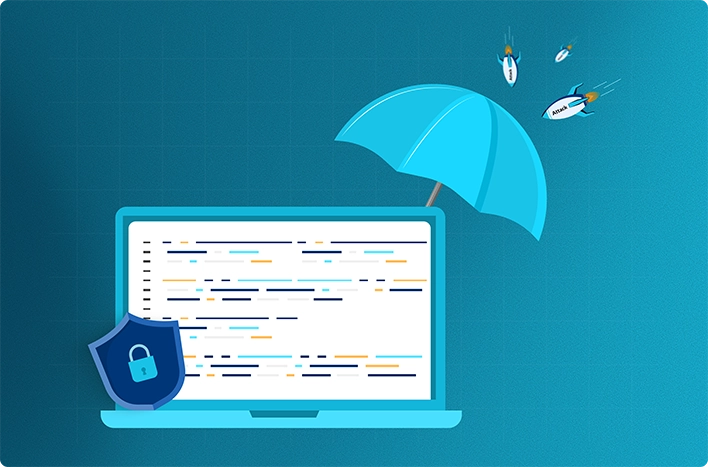
Malware is one of the most severe risks for businesses today. Attackers often use ransomware, phishing, and credential theft to gain access to systems. When malware is deployed in an environment, the security team should isolate the affected device or process as the first step.
This is called malware quarantine. The suspected malicious file is moved or restricted so it cannot run, spread, or interact with other files. Quarantine is an important containment step for organizations, but things must not stop there. Security teams need to investigate the source and check the affected systems. If they find any remaining traces of the malware, those should be removed. Security controls must be improved in order to reduce future risk.
Why Malware Containment Matters
Containment is crucial because it stops the detected malware from spreading or affecting more systems. A malware incident cannot be closed solely at detection. Organizations should investigate the affected systems and remove remaining traces. Once this happens, the next step is to validate the eradication of the threat.
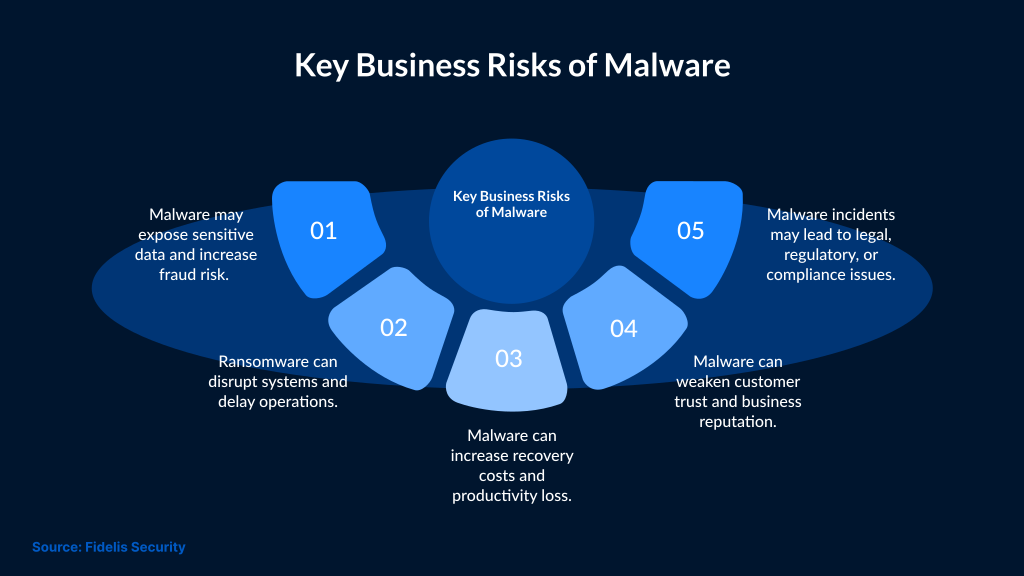
Cybersecurity Ventures predicts global ransomware damages could reach approximately $275 billion annually by 2031. This clearly shows that malware response needs to move quickly from detection to containment, investigation, and recovery.
Once security teams detect malware, they should have a plan of action to reduce risk and prevent recurrence. Organizations should also review their security controls and improve defenses to reduce the risk of repeat infections.
This guide explains the steps to perform after quarantining malware. It explains the need to investigate the source, remove remaining traces, scan affected systems, and improve security controls.
What Quarantined Malware Means
Malware quarantine isolates suspicious or infected files to prevent them from running, spreading, or interacting with other files. But it's important for teams to identify and fix the original infection path or related activity, as it may still be present.
How Does Malware Quarantine Work?
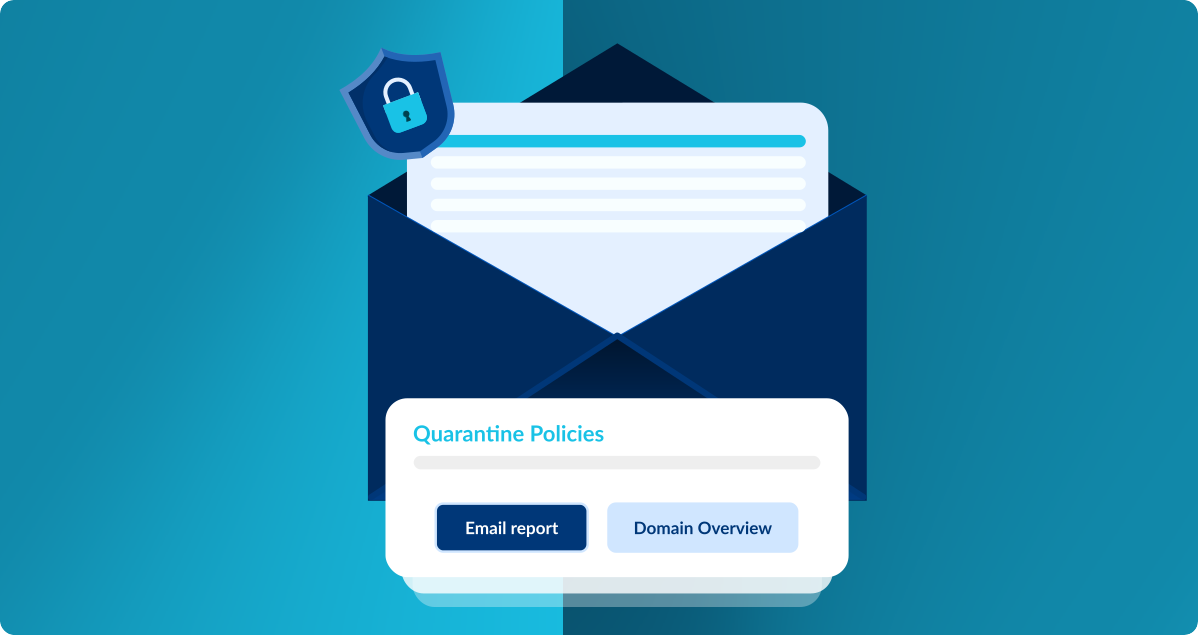
Security software usually moves or restricts the suspected malicious file in a protected quarantine location. This prevents the file from executing normally or interacting with other parts of the system.
Quarantine can happen automatically or after approval from an analyst through antivirus, EDR, or other endpoint security controls. It depends on the tool the organization uses.
How Long Should Malware Stay in Quarantine?
While quarantine helps contain malware, it does not complete the incident response process. It is important for security teams to address all the related files, persistence mechanisms, exposed credentials, and vulnerabilities, or else the threat may still return.
What to Do After Malware is Quarantined
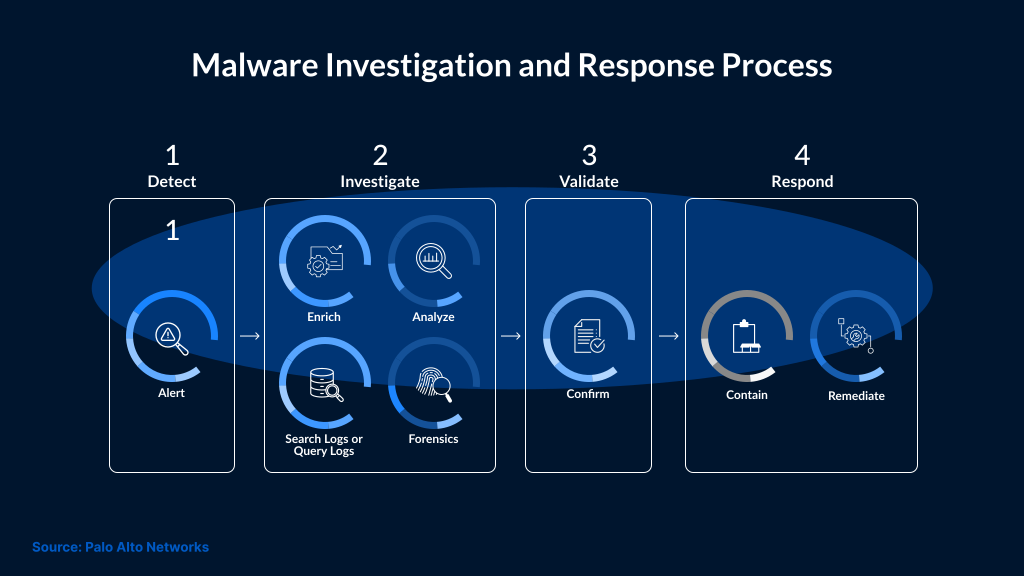
After quarantining malware, teams need to take the following steps to remove threats and reduce the chance of reinfection:
Analyze the malware: Security teams must review the quarantined file to understand its type, behavior, and possible impact. This information can help them identify the likely source of infection and take adequate prevention measures.
Clean up the system: Remove remaining malware traces from affected systems. Run a fresh scan with updated security tools. Remove infected files where possible. For serious infections, reimage affected endpoints or restore them from known-good backups.
Fix security gaps: Check how the malware entered the environment. Look for missing patches, exposed credentials, weak settings, or risky user actions. Fix the gaps before restoring normal access.
Recover affected data: If data was encrypted, deleted, or corrupted, use a tested recovery plan to restore it from clean backups.
Follow the incident response plan: Use the organization's plan to coordinate actions, notify stakeholders, and document all key findings.
Why Quarantine is Not Enough
Quarantine helps contain malware, but it also has certain limits. Therefore, it is important for organizations to analyze the threat, clean affected systems, check for persistence mechanisms, and improve security controls.
After malware is quarantined, it may be blocked from running, but the incident still needs investigation. Quarantine is only a small yet important part of the response process. Security teams should verify that affected systems are clean and that sensitive data was not accessed, altered, or stolen.
Analyze the Quarantined Malware
After quarantining malware, security teams should analyze it to understand its behavior and possible impact. They need to find out the malware type, execution method, affected files, and potential business impact.
In advanced cases, malware analysis may include sandbox testing, behavioral analysis, or reverse engineering.
Identify Affected Systems
Document all endpoints, servers, user accounts, and applications that may have been affected. This includes systems that are directly infected and those that may have been used for lateral movement.
If security teams suspect data exposure, they must review whether the incident allowed unauthorized access, theft, encryption, or alteration of sensitive information. This review also helps determine whether legal, regulatory, or customer notification requirements apply.
Activate the Incident Response Plan
Incident Response Team: Activate the incident response team to clearly coordinate roles, decisions, and response actions. This team should include IT, security, legal, communications, HR, and relevant business stakeholders.
Communication Plan: Create a communication plan for employees, customers, partners, regulators, and other stakeholders if notification is required. Clear communication helps protect trust, reduce confusion, and limit operational or reputational impact.
Incident Documentation: Document key actions, findings, and timestamps. Teams should have a record of all affected systems and recovery steps taken during the incident response process. Proper documentation supports incident review, insurance claims, and future response improvements.
Eradicate Malware and Restore Systems
Clean affected systems: Remove remaining traces of malware, suspicious files, and all related artifacts. Scan the systems with updated security tools, reset exposed credentials, and restore from known-good backups.
Review security gaps: Review affected systems and related logs to identify how the malware entered the environment. Patch vulnerable software and close exposed services. Harden affected systems and improve security controls to reduce reinfection risk.
Recover affected data: If attackers were able to encrypt, delete, or corrupt the data, then the recovery plan would begin using a tested backup. Prioritize critical data, business applications, and operational processes.
Improve Security Controls
Security Controls: Improve security controls to reduce the chance of reinfection. Use strong password policies, enable MFA, apply software patches, and keep endpoint security tools up to date.
User Awareness: Train employees to recognize phishing attempts, malicious links, suspicious attachments, and unsafe downloads.
Network Segmentation: Segment the network to limit malware movement and reduce exposure of critical systems if another endpoint is compromised.
Forensics and Legal Considerations
Digital Forensics: Serious malware incidents may need forensic review. A forensic team can preserve evidence and study affected systems. This helps confirm how the malware entered, what it touched, and whether the attacker moved beyond the first infected device. Legal Requirements: If personal data was exposed or changed, involve legal counsel early. The legal team can check which notification rules apply. This depends on the type of data, the location of affected users, and the industry involved. If notification is required, the organization should follow its response process. This may include notifying regulators, customers, affected users, or law enforcement.Continuous Monitoring and Prevention
Threat Monitoring: Use threat-monitoring tools to detect suspicious activity early and enable faster containment. This may include EDR, SIEM, XDR, IDS/IPS, network telemetry, cloud logs, and identity activity monitoring.
Threat Intelligence: Stay informed about active malware campaigns, attacker tactics, indicators of compromise, and emerging vulnerabilities. Use this intelligence to hunt for related indicators, prioritize patching, and tune detection rules.
Update the Incident Response Plan
Review and update the incident response plan to reflect current threats, business systems, roles, escalation paths, and recovery steps.
Quarantine alone does not resolve a malware incident. Further investigation, eradication, recovery, and monitoring are needed to reduce damage and protect sensitive information. These steps help reduce the impact of malware and lower the chance of repeat infection.
Conclusion
Quarantining malware is an important first step, but it does not complete the response process. After malware is isolated, security teams still need to investigate the source, check affected systems, remove remaining traces, and confirm whether any data or credentials were exposed.
A strong response also includes recovery, security hardening, continuous monitoring, and updates to the incident response plan. These steps help reduce the impact of malware and lower the chance of repeat infection.
SafeAeon helps businesses manage this process with 24x7 security monitoring, endpoint threat investigation, incident response support, and practical guidance to strengthen security controls after malware activity is detected.