

Key Takeaways
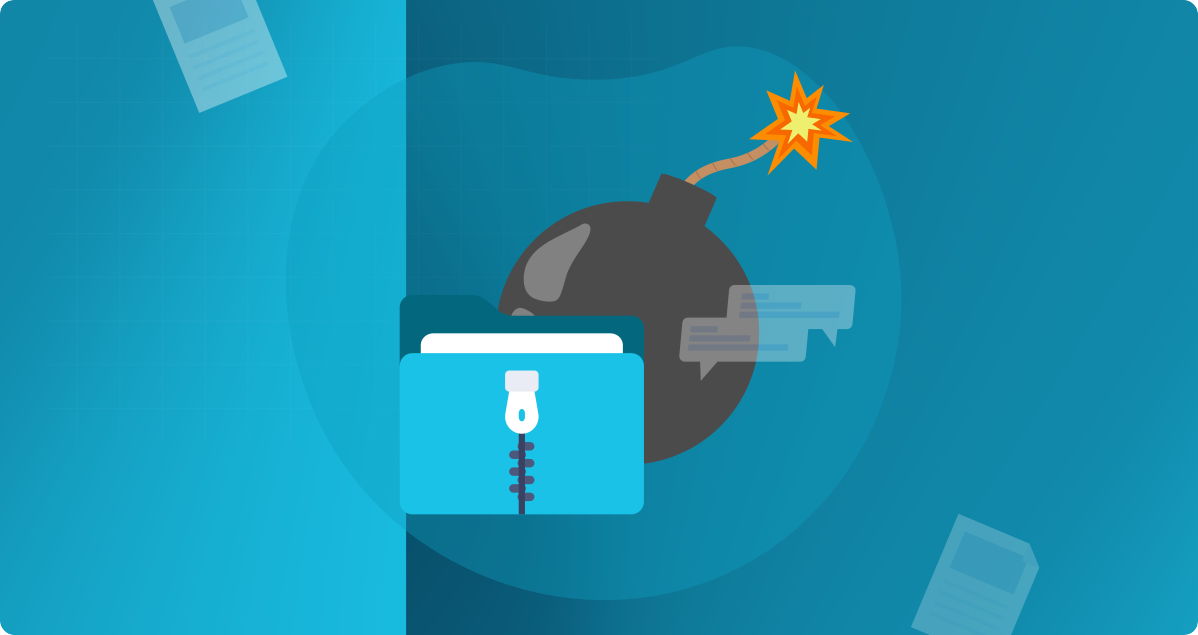
- A tiny zip bomb file can expand terabytes or petabytes of junk data upon extraction. It’s possible due to the compression of highly repetitive or empty data.
- Zip bomb triggers a DoS attack by exhausting the target system’s resources, such as CPU, RAM, and disk space.
- Unlike viruses and ransomware that corrupt files or hold them hostage, a zip bomb overloads the system until it crashes or becomes unusable.
Introduction
These days, cyber threats are getting smarter and harder to keep up with. Among the stealthiest and most overlooked dangers is the zip bomb attack, also referred to as a decompression bomb. Zip bomb attacks are far from harmless compressed files. They can cripple your systems and shut down antivirus software. They allow more serious intrusions to occur without common malware.
You are certainly not alone if the idea of zip bombs is unfamiliar to you. But if you want to protect your business from this cyber threat, you must know what a decompression bomb is, how it works, and how to protect your systems against it.
What Is a Zip Bomb? The Silent Cyber Threat Hiding in Plain Sight
On the surface, a zip bomb appears to be a normal archive file, usually supposed to be just a few kilobytes/megabytes in size. However, this simple file form is a tragic decompression bomb, which, once unpacked, will grow to an incomprehensible size.
When set off, a zip bomb can inflate to many gigabytes, terabytes, or even petabytes-worth of data, causing all the system resources to run out of space. Such a huge load will cause your machine to stop working. It overloads the computer’s CPU, memory, or storage so much that the system freezes or completely stops working.
The term “zip bomb” differs from malware that steals data or encrypts files. Instead, a decompression bomb overwhelms your system’s own decompression process, silently crippling operations without executing any malicious code.
How Do Zip Bomb Attacks Work? The Science Behind the Decompression Bomb
Zip bomb attacks exploit the working of compression algorithms. Compression reduces the size of a file by efficiently encoding the same or repetitive data patterns. Decompression bombs, on the other hand, take advantage of this by nesting compressed files within compressed files, i.e., dozens or even hundreds of layers deep, or by compressing highly repetitive content.
The zip bomb begins its process as soon as your system starts extracting the files. With each level of decompression, the initial amount of data is further increased by an exponential factor. CPU and RAM usage soar, while the system struggles to cope with the expanding payload. Eventually, your computer either crashes, hangs, or the RAM is all consumed.
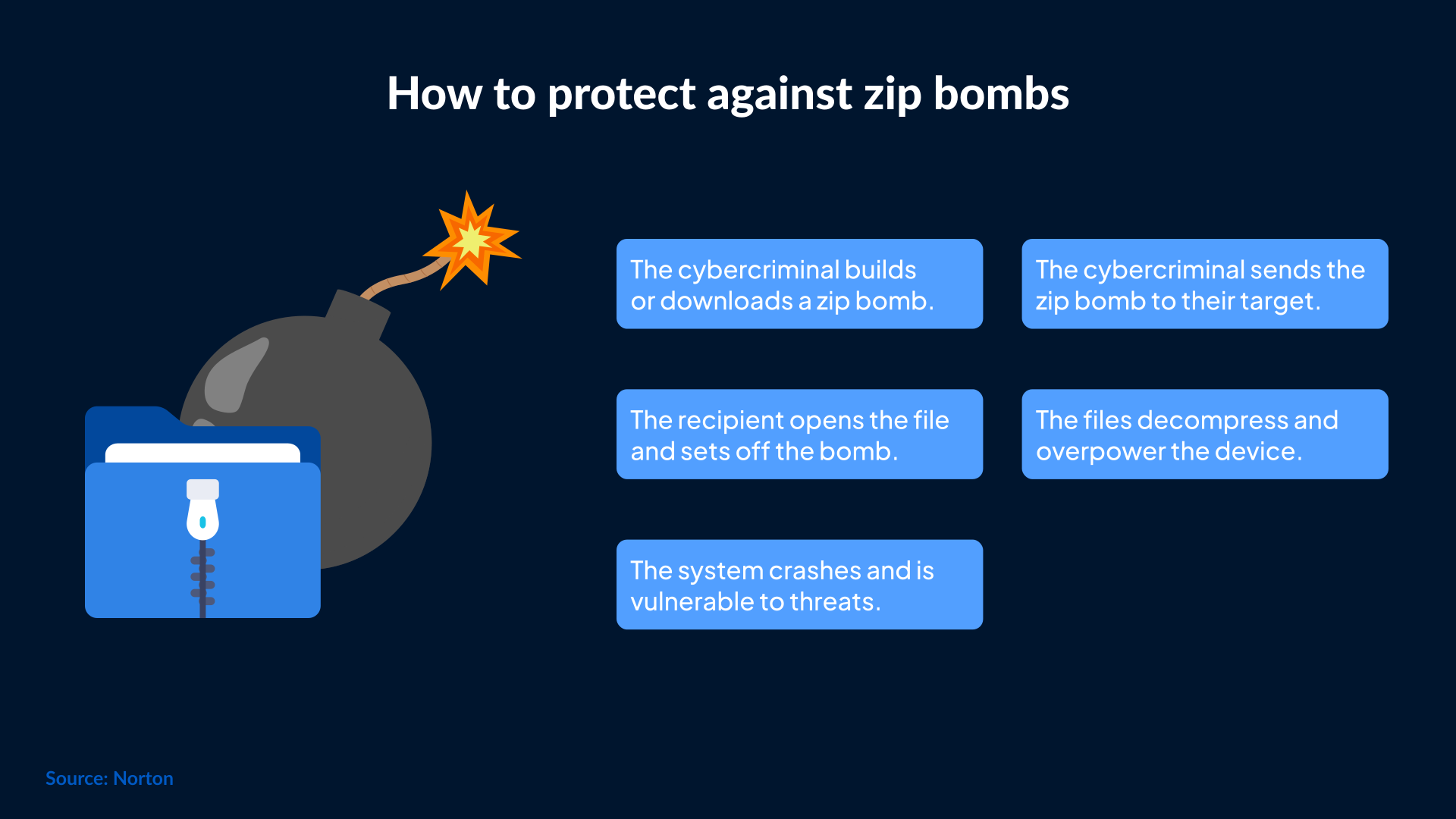
Antivirus products are among the most affected tools. These applications regularly scan and extract file contents to detect possible threats; however, their decompression engines may crash during a zip bomb attack and thereby defeat their own purpose.
Types of Zip Bombs and their variants of Decompression Bombs
All zip bombs are not the same. Here are some of the most common types that hackers use to invade:
Classic Zip Bomb: Recursive compressed files within themselves. When they are uncompressed, it causes thousands of gigabytes and overwhelms resources.
Petabyte Zip Bomb: A decompression bomb exploding in petabytes of data-tree cramming to bring down the finest advanced enterprise servers or cloud platforms. With modern infrastructures, these can be dangerous.
Infinite Payload Bomb (IP Bomb): This decompressive bomb only continues to expand without limit. Using system resources until the machine or pipeline completely freezes up.
A clear understanding of these variants allows organizations to strengthen their security measures aimed specifically at each type of zip bomb attack.
Other Zip Bomb Attacks in the Real World
The worst case is that of the 42-zip file, a petty 42 KB file that decompresses to an astonishing 4.5 petabytes. It’s like compressing 900,000 DVDs' worth of data into a tiny file.
This illustrates the ease of weaponizing such a threat. Amateur hackers can utilize open-source tools, like ZOD (Zip on Demand), found at GitHub, to pursue the creation of custom zip bombs.
Cases have been documented where zip bomb attacks come disguised in emails as fake invoices or resumes. Corporate email security systems, which automatically scan attachments, decompress these bombs, and become overwhelmed. This leads to denial-of-service (DoS) attacks and vulnerabilities for follow-up attacks.
Why Are Zip Bombs So Dangerous in Modern Cyber Security?
Traditional malware steals data or carries malicious software. However, zip bomb attacks damage a system through a simple functionality-decompression.
The risks often associated with zip bombs are:
Evasion of Antivirus: Zip bombs work by crashing the decompression engines within antivirus tools. This makes them ineffective for the entire protection layer and leaving other malware to pass through undetected.
Denial of Service (DoS): Zip bombs can achieve denial of service by consuming almost all CPU resources, memory, and bandwidth. This halts server or endpoint activity without executing any harmful code.
Resource Drain of Cloud Infrastructure: They especially target the cloud, where petabyte zip bombs create spikes in resource usage.
Indirect Attack Vectors: Most often, zip bomb attacks are carried out as distractions. This allows attackers to launch simultaneous or follow-up opportunistic breaches unnoticed.

A zip bomb is different in that it neither installs anything, nor steals information, nor executes malicious code. In other words, the attack is against decompression itself, which people do on computers every day.
For example, an IP bomb can initiate an endless loop of decompression processes, effectively locking down an entire system or process pipeline, exhausting its resources to a state that the other cyber threats can exploit.
How to Detect a Zip Bomb Before It Causes Damage
Detecting zip bomb attacks can be tricky since the files appear as normal compressed archives. Still, consider these red flags:
Unusually High Compression Ratios: Small files claiming to contain gigabytes or petabytes of data.
Too Many Layered Nested Archives: Excessive nesting is a classic signature for bomb decompression.
Abnormal High CPU or Memory Usage During Extraction: Behavioral analysis and resource-monitoring applications can flag this abnormal behavior.
Strange File Structure or File Format: Heuristic scanning helps pick out suspicious decompression behavior.
Modern antivirus tools now include settings to limit decompression depth and memory usage to help block zip bombs before they cause harm.
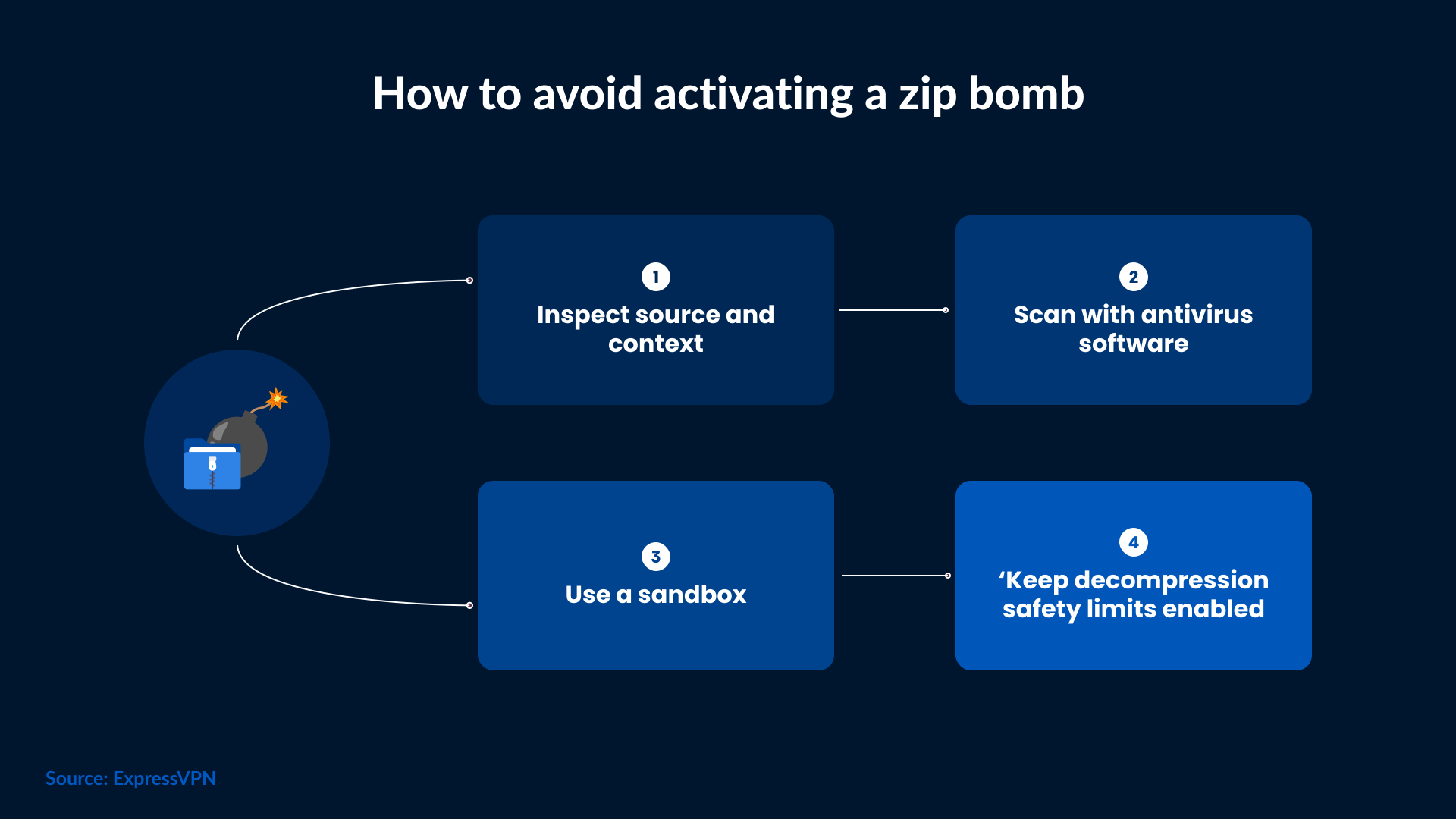
How to Protect Your Systems from Zip Bomb and Decompression Bomb Attacks
Set Antivirus Decompression Limits: Configure file size, nested archive depth, and decompression time limits to prevent resource exhaustion from zip bomb attacks.
Use Sandboxing Environments: Always decompress suspicious files in isolated virtual machines to prevent system damage.
Enable Email and Network Filters: Block files with suspicious compression ratios or deeply nested archives before they reach end-users.
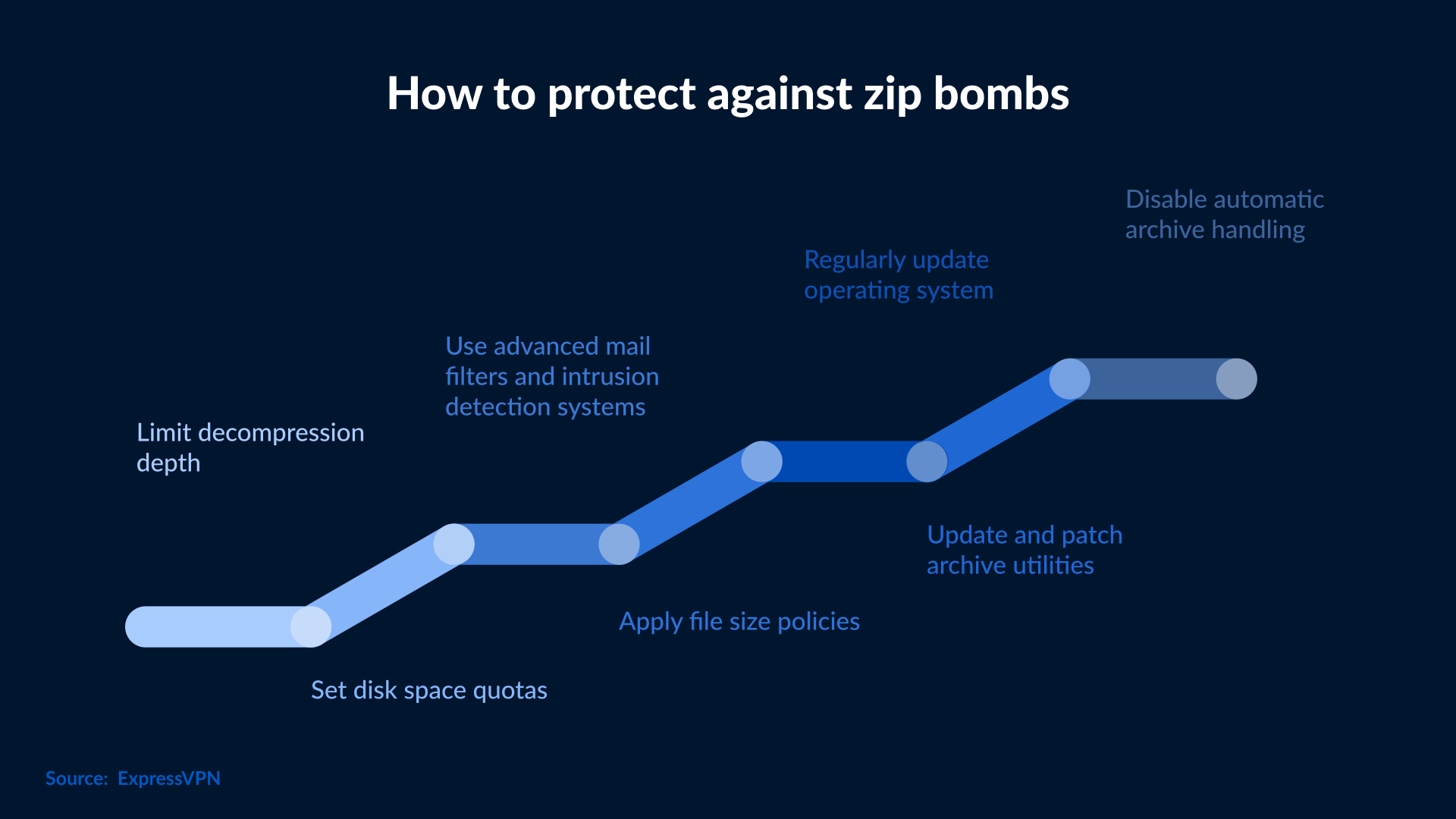
So, zip bombs are a form of denial-of-service attack where they are tunnelled into an excerpt, so that when you extract an archive, you are left searching forever for it before it finally destroys your machine. Modern antivirus features include limiting the number of decompression operations performed on any one file by memory usage to block zip bombs before they do damage.
Ways to Protect Systems from Zip Bomb and Decompression Bomb Attacks
Here are some practical methods for securing your network and endpoints:
Set Antivirus Decompression Limits: Configure file size, nested archive depth, and decompression time limits to prevent exhaustion of your resources from a zip bomb.
Use a Sandbox Environment: You should always suck in suspicious files into isolated virtual machines to avoid damage to your system.
Email and Network Filters turned on: Block files using a suspicious compression ratio and deeply nested archives before they get to end users.
Regularly Update Security Tools: Keep antivirus programs and detection engines patched and updated against newer zip bomb variants.
Educate Employees: Train staff to spot suspicious zip files and keep them from opening attachments from unknown sources.
Monitor System Resources: Have monitoring tools in place to alert administrators of unusual CPU or memory usage during file decompression. What to Do If You Encounter a Zip Bomb Attack
Perform the following actions if a decompression bomb is suspected
- Do not manually decompress it yourself.
- Isolate the suspicious file by quarantining it using endpoint protection tools.
- Disconnect affected machines from the network so that spreading damage is halted.
- Use sandbox analysis to investigate the file safely.
- Notify your IT/security for incident response.
- Restore affected systems from a clean backup, if applicable.
- The incident should be documented adequately so that lessons can be learned in the future that will improve upon the existing security posture.
The Evolution of Zip Bombs for Cybersecurity
Zip bomb attacks have been around for many years, but attackers have evolved their tactics lately. Some of them have:
- Embedding zip bombs in another file format or as executable scripts.
- Using decompression bombs as payloads in sophisticated phishing campaigns.
- Using petabyte zip bombs targeting cloud-native and distributed systems in a scalable architecture.
- Developing smart decompression bombs that evade the latest detection and sandboxing mechanisms.
As cybersecurity continues to advance, attackers are developing more complex zip bombs to evade detection. That’s why staying updated, alert, and prepared is essential.
Conclusion
Zip bombs and decompression bomb attacks exploit the basic system process of decompression, turning it into a powerful cyberweapon. Understanding how these attacks work helps organizations minimize downtime and prevent costly breaches. Recognize the signs, counter them quickly, and implement foolproof prevention measures.
It's important to remain alert and upgrade your security measures regularly. Contact SafeAeon for threat monitoring and incident response services. These can help organizations detect and stop file-based threats like zip bombs before they impact operations. As a result, your systems remain secure, and your business runs smoothly.